

Documents with text search
Find the certificate an auditor asks for without digging through old emails. Certificates, quotes and invoices stay attached to their product or order.
Free plan with 2 users, 100 products and 1 location. No credit card, no time limit.

Why it matters
Search inside the files
Find batch, certificate or invoice numbers inside your documents, scans included.
Every document in its place
Certificates, quotes and invoices stay attached to the product or order they belong to.
Ready when audits come
Answer auditors, customers and suppliers with one search instead of digging through old emails.
How it works
With text search, you find any document by the batch, certificate or invoice number written inside it, even on a scan. Every file you upload also lands in a single archive you can filter by supplier, product, type or date.

Step 1 of 4
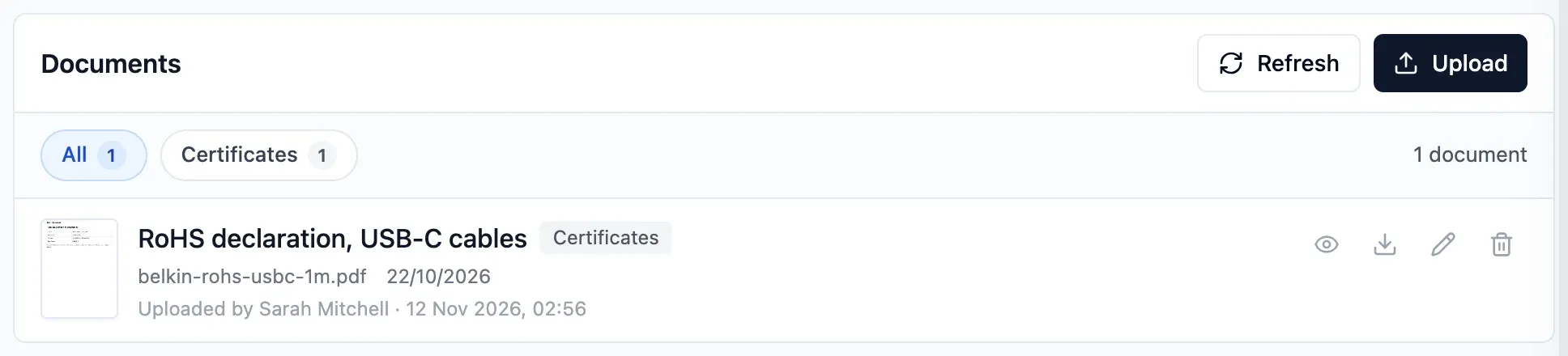
Attach the file
Drop a file onto a product or a purchase order. It stays there for anyone who opens that record.
- PDF, Word, Excel, CSV and images
- Title, type and date for product documents
- Uploader and upload date recorded
Step 2 of 4
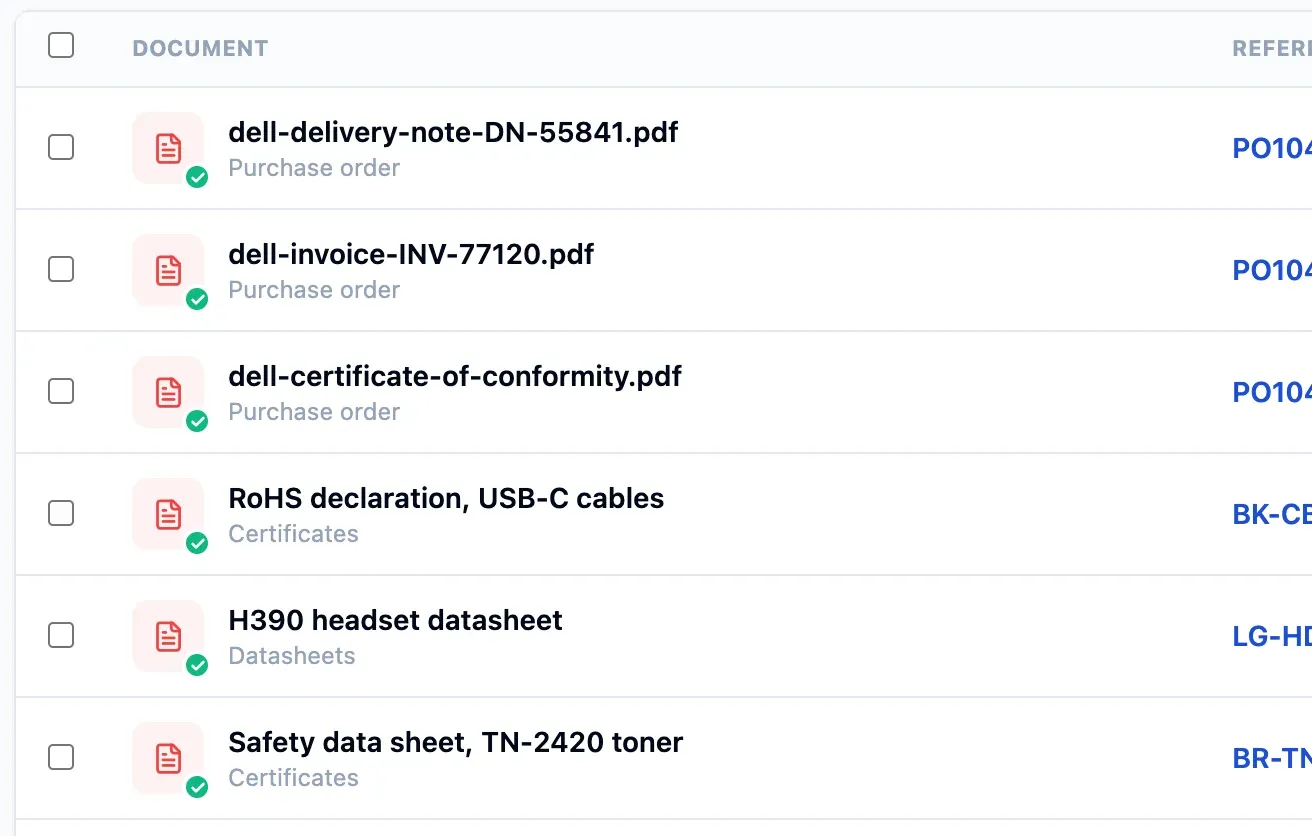
Automatic reading
With text search on, the text in PDFs, photos and scans attached to products and orders is read automatically.
- Scanned PDFs, not just digital documents
- A sharp scan gives the best results
- Owner turns text search on in settings
Step 3 of 4
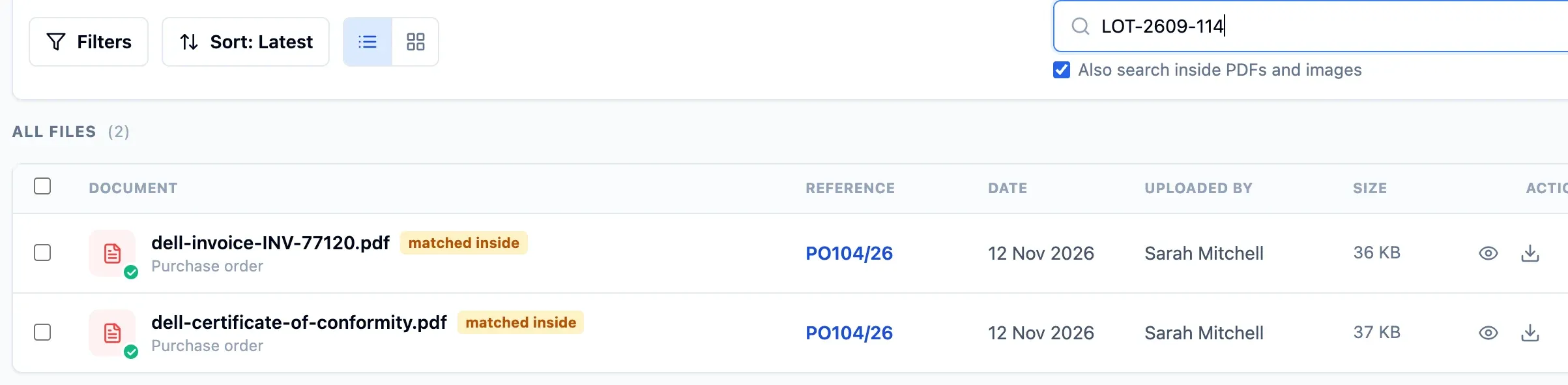
Search the content
Search for a batch or invoice number with Also search inside PDFs and images ticked. You find the files that contain it, whatever their name.
- Searchable by name as soon as uploaded
- Content searchable shortly after
- Filter by category, supplier, product, type or date
Step 4 of 4
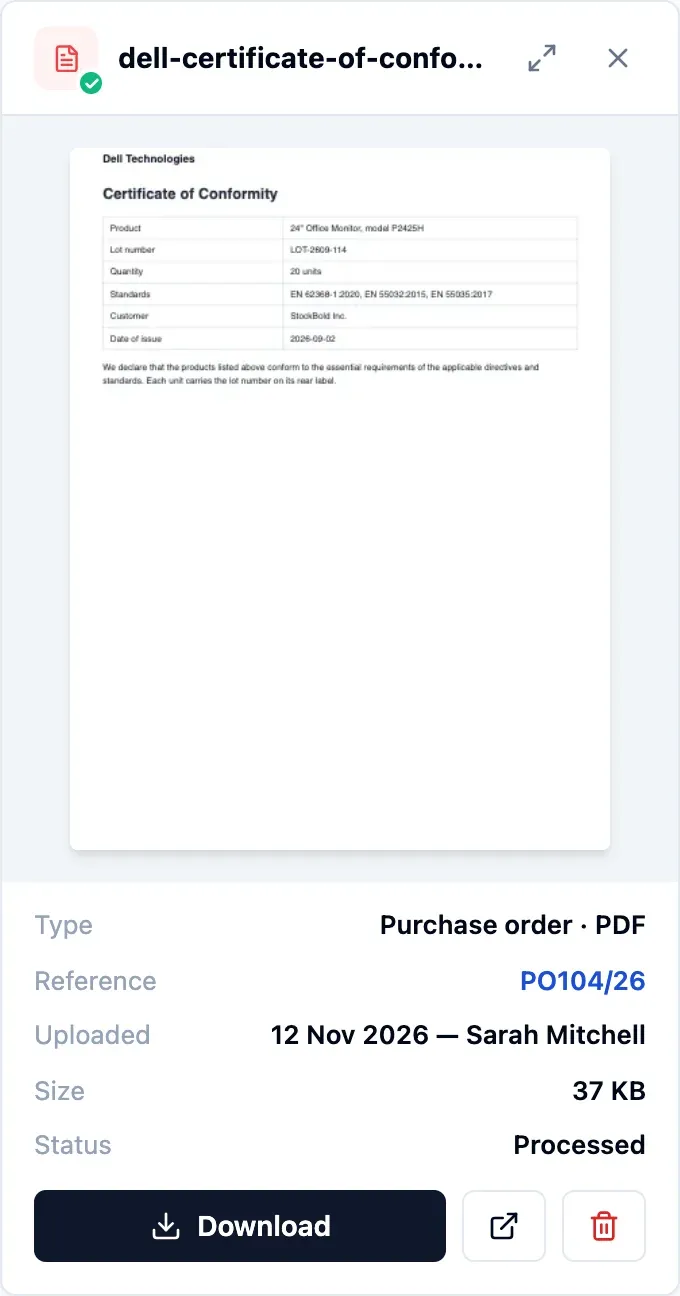
View and forward
Open PDFs and images right in the app, or download the file to forward it.
- Supplier records gather product and order files
- Separate permissions to view and manage
- Attach late invoices after a year lock
In detail
The formats you already use
PDF, Word, Excel, CSV and images such as JPG and PNG.
Built-in preview
PDFs and images open in the app. Any file can still be downloaded.
One archive
All product and order files in one list, with who uploaded them and when.
Documents by supplier
Each supplier's record gathers the files of its products and orders.
Late invoices
Attach a late invoice to its order, even after its year has been locked.
Title, type and date
Give product documents a title, type and date to keep them organised.
- Start free
Try it free
Free plan with 2 users, 100 products and 1 location. No credit card, no time limit.
Common questions
Another question?
Write to us from the contact page, or search the guides.
Which plans include text search?
Starter, Pro, Business and Enterprise. The owner turns it on in the settings.
Does it work with photos and scans of paper documents?
Yes. Text is read from photos and scanned PDFs too. A sharp scan gives the best results.
Is a new file searchable straight away?
By name, yes. Its content becomes searchable shortly after, once the automatic reading is done.
Who can see documents?
You decide. Viewing and managing documents are separate permissions, and anyone limited to some departments sees only those departments' files.
Try it free
No credit card or time limit. Upgrade when you need more capacity.