

Shelf positions
Record the quantity of each product on every shelf, for the products you choose. The Shelves page shows what each shelf holds, aisle by aisle.
Free plan with 2 users, 100 products and 1 location. No credit card, no time limit.

Why it matters
Faster picking
Whoever picks the goods finds the shelf and the quantity available straight away.
Shelves that match stock
A movement that takes more from a shelf than it holds is blocked.
Quantity and value unchanged
Moving units between shelves changes no quantity, value or report.
How it works
Stock-outs, transfers and deliveries state which shelves the goods leave and land on. Shelves never change the quantity or value of your stock.
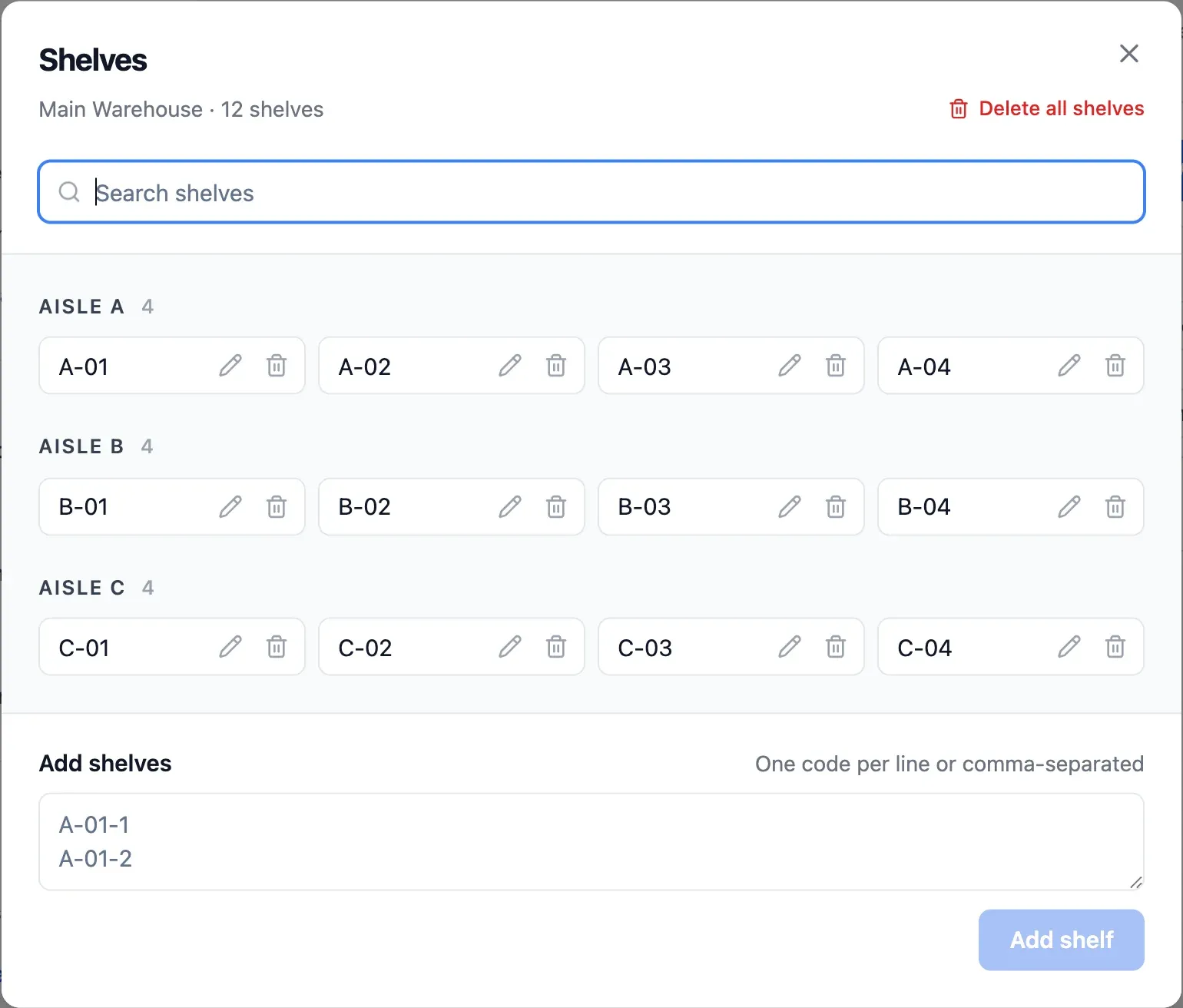
Step 1 of 4
Create your shelves
Paste shelf codes from a spreadsheet, one per line. Codes like A-01-1 are grouped by aisle.
- Codes in the format you choose
- Shelves grouped by aisle
- See how many shelves are in use
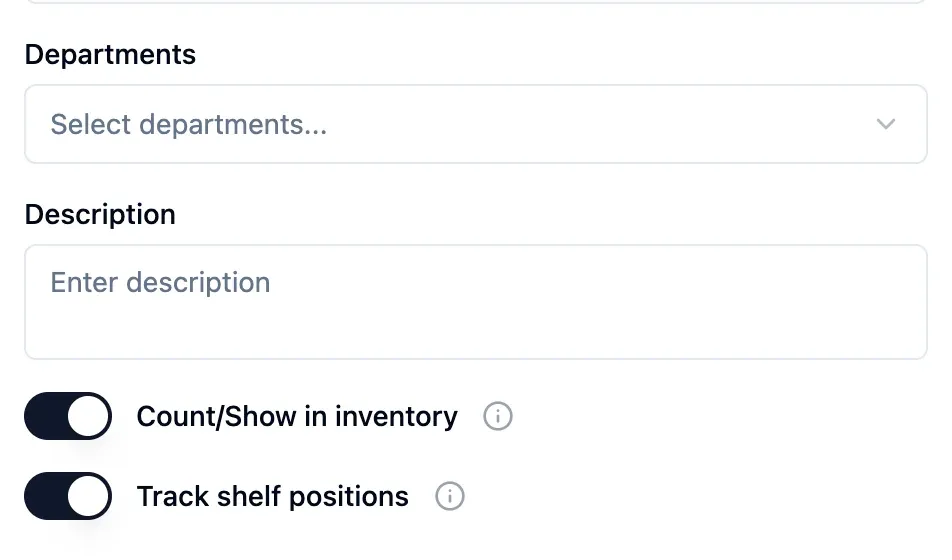
Step 2 of 4
Choose the products to track
Switch on shelf positions only where you need them. Other products stay tracked by location.
- Each shelf shows products, units and value
- Search shelves or products, filter by supplier
- Hide empty shelves

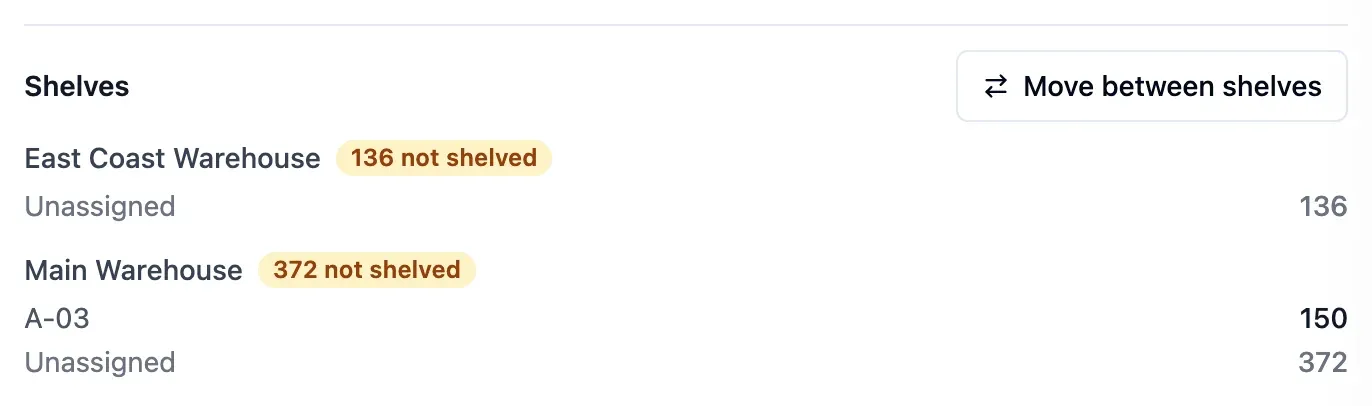
Step 3 of 4
Put away existing stock
Current stock starts as unassigned. Move it to its shelves once, and each shelf's quantity is up to date.
- See unassigned units by location
- Move from the shelf list or the product page
- Move units between shelves
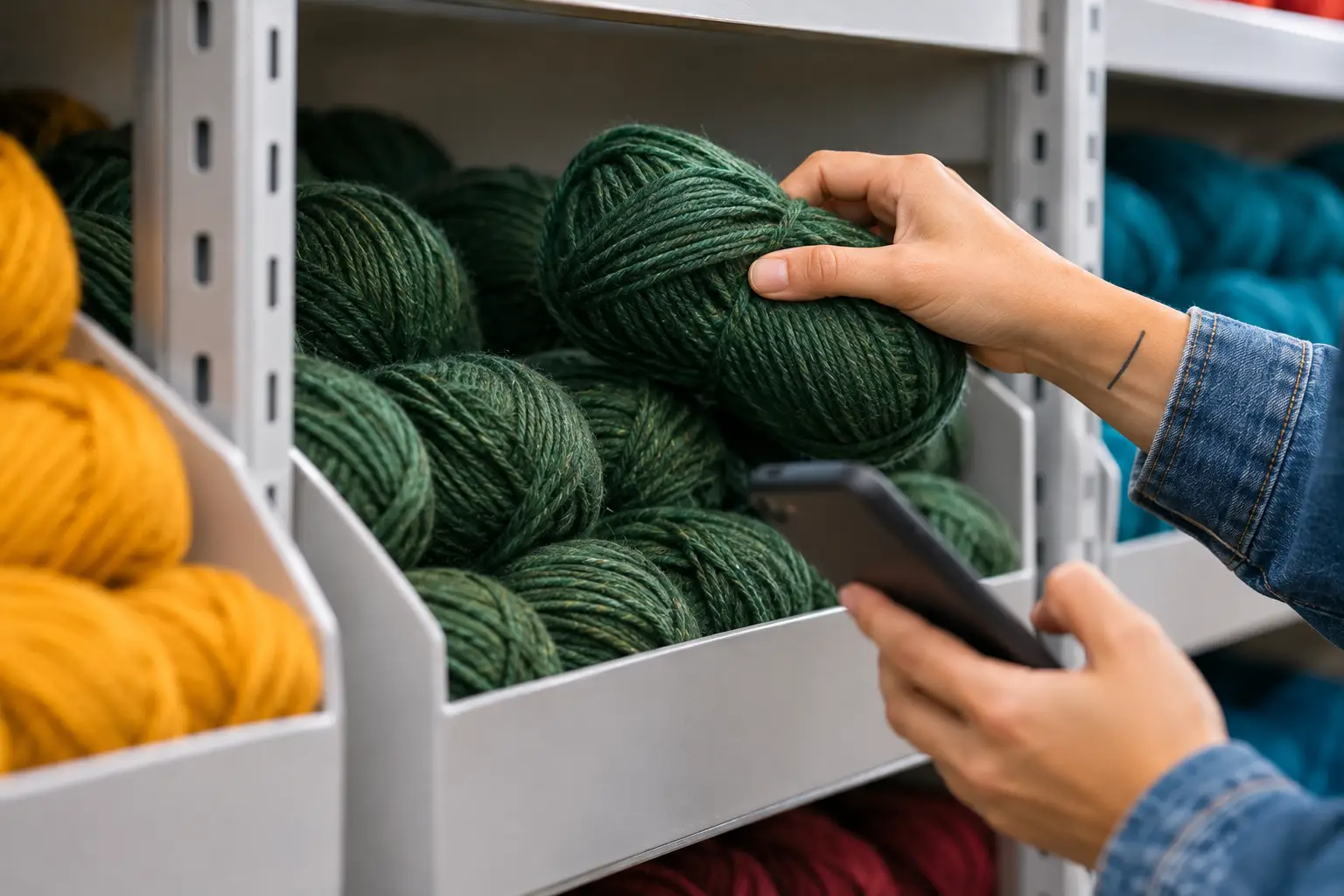
Step 4 of 4
Pick and receive by shelf
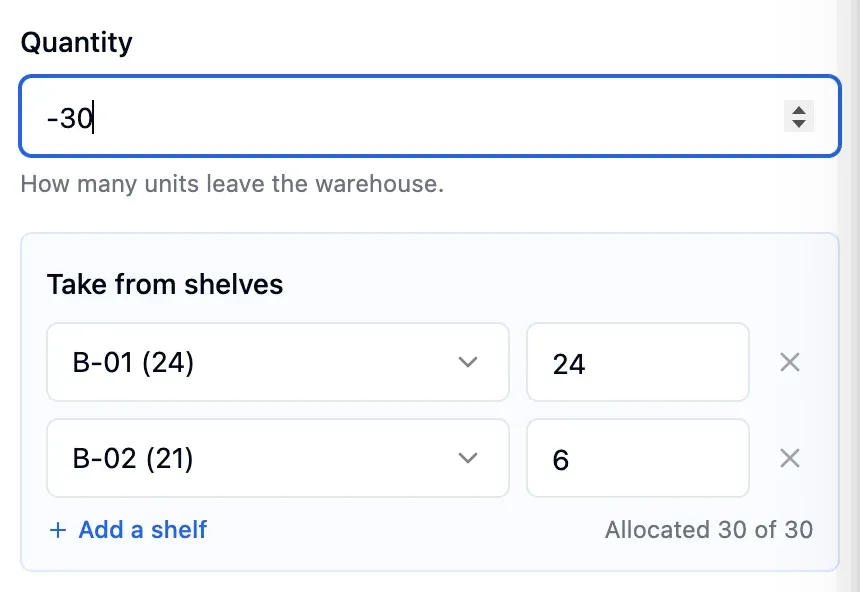
Stock-outs, transfers and deliveries ask for the shelf the goods leave or land on. Stock-outs suggest the fullest shelf first.
- Choose shelves for phone stock-outs
- Every movement lists the shelves used
- Quantities per shelf through the API
In detail
Every shelf at a glance
Browse each location's shelves by aisle, with how many are in use. Each shelf shows its products, units and value.
Search and filters
Search for a shelf or product, filter by supplier and hide empty shelves.
Stock to put away
Each location shows how many units are still waiting to be shelved.
Moves between shelves
Move units from one shelf to another, or put away unassigned stock, from the shelf list or the product page.
On your phone too
Scan & Move asks for the shelf when you record a stock-out on your phone.
Shelves on every movement
Each movement lists the shelves it used, for example A-01 × 5 and B-02 × 3.
Your own codes
Choose your own code format, with aisle and level. Shelves are grouped by aisle.
Through the API
Read quantities per shelf and move units between shelves through the API.
- Start free
Try it free
Free plan with 2 users, 100 products and 1 location. No credit card, no time limit.
Common questions
Another question?
Write to us from the contact page, or search the guides.
Which plans include shelf positions?
Every paid plan. On the Free plan, stock is tracked by location.
Do I have to track every product by shelf?
No. Shelf positions are switched on product by product, and the others work as before.
What happens to the stock I already hold?
It starts as unassigned in its location. Put it away from the product page, with one move per shelf.
Do shelves change the value of my stock?
No. Shelves only record where the goods are. Quantities, values and reports stay the same.
Try it free
No credit card or time limit. Upgrade when you need more capacity.