

Shipments and receiving
Receive each delivery against its purchase order. See what is still to arrive while the goods enter stock at their true cost.
Free plan with 2 users, 100 products and 1 location. No credit card, no time limit.

Why it matters
Shortages spotted at once
Each line shows the quantity still to come, so you can spot a short delivery as you record it.
Receive only what remains
You cannot receive more than the quantity left on the line.
True cost from day one
Goods come in at the order price plus their share of duties and other landed costs.
How it works
Every arrival is recorded against its order, so purchasing and the warehouse see the same figures: what has come in and what is still to arrive.
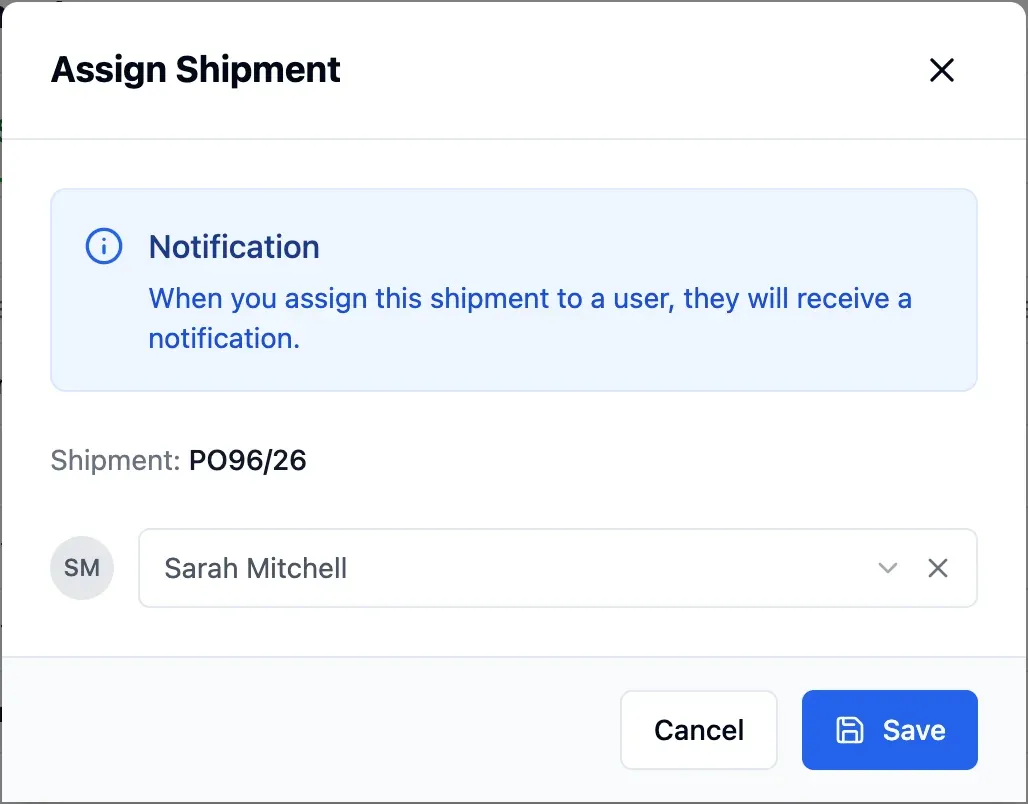
Step 1 of 4
Assign a receiver
Approved orders appear in Shipments. Assign each to the person receiving it, who is notified in the app and by email.
- In-app and email alerts for receivers
- Set a default receiver by department
- Filter outstanding shipments by receiver

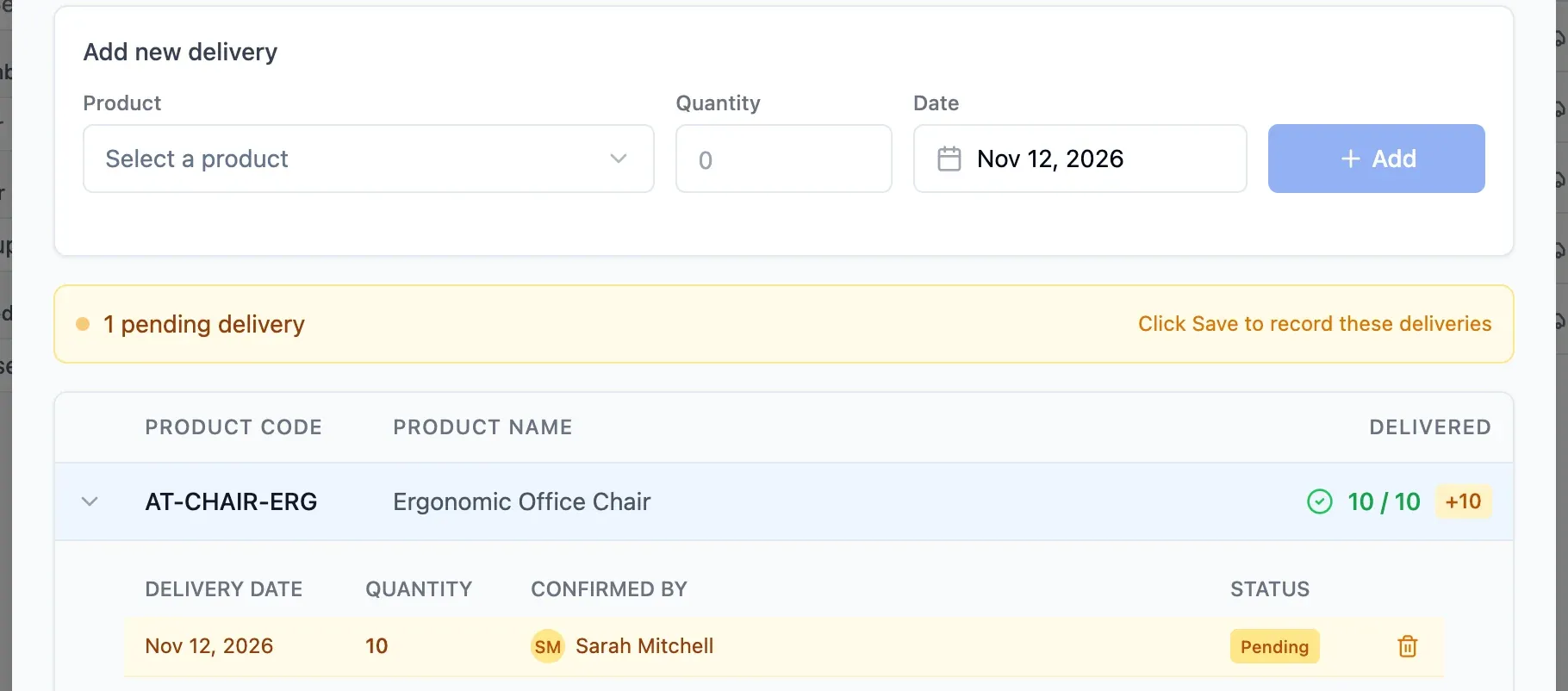
Step 2 of 4
Record the delivery
For each line, enter the quantity and date of arrival. If everything came, one click fills in the outstanding quantity.
- No future or pre-order delivery dates
- Fill outstanding quantities in one click
- No over-receiving against order lines
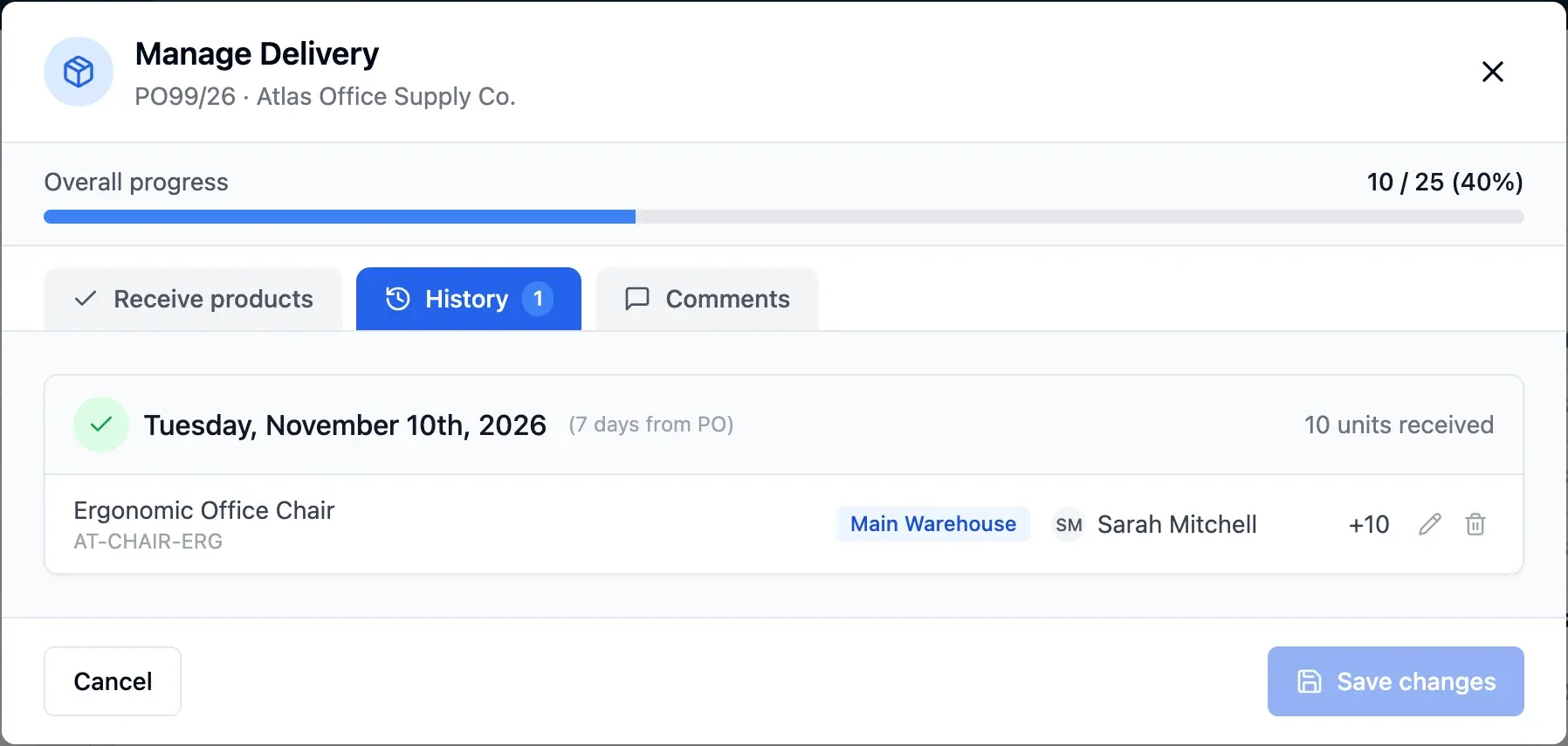
Step 3 of 4
Book into stock
On saving, stock rises in the order's location on the date given. The order shows at once what arrived and what is missing.
- Order location sets where goods enter
- See goods value and costs per line
- Choose shelves for shelf-tracked products
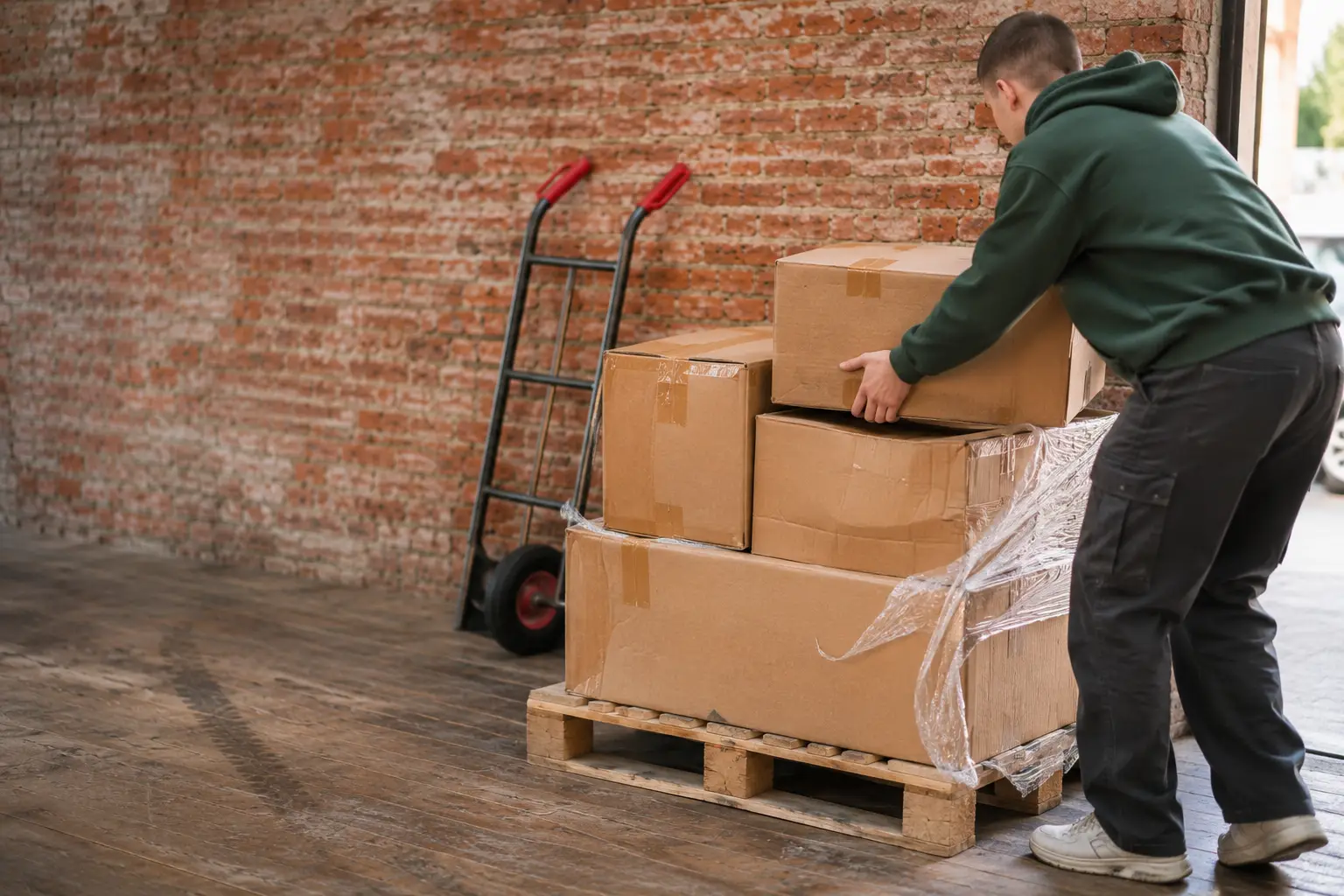
Step 4 of 4
Receive remaining goods
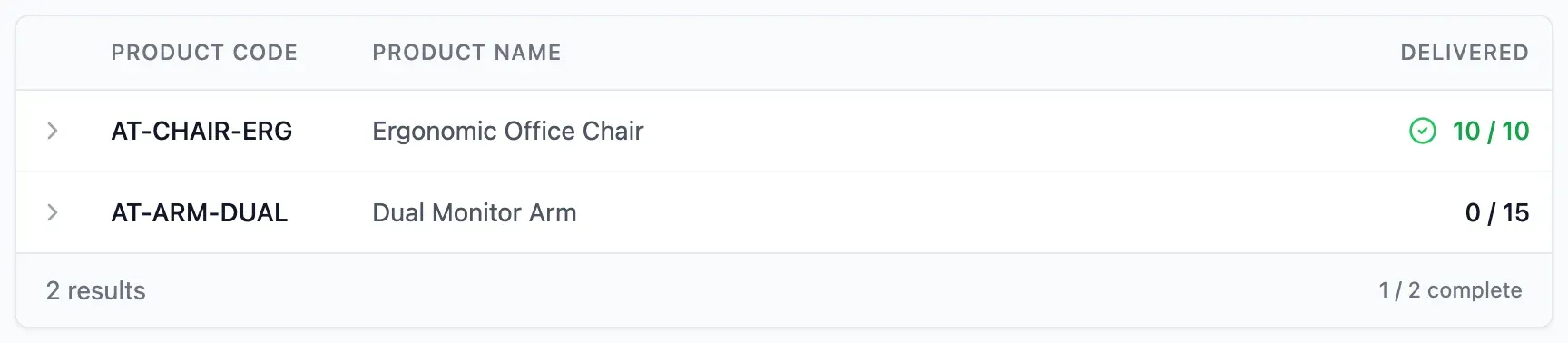
Record the remaining goods against the same order when they arrive. Once complete, the shipment moves to completed automatically.
- One order can cover several deliveries
- Shipment marked complete after the last delivery
- Delivery history includes date, location and author
In detail
Status of every shipment
See whether a shipment is to receive, partly received or complete, alongside its order's progress.
Valid delivery dates
A delivery cannot be dated in the future or before its order.
One owner per shipment
Assign each shipment to a person, or set a default receiver per department. Filter to see what each person still has to receive.
True cost per line
For each line, see goods value, freight, additional costs and total cost.
Comments on the delivery
Discuss each delivery with colleagues right on the shipment.
Shelf chosen on arrival
For products tracked by shelf, choose the shelf as you receive.
Receiving history
Each delivery stays recorded with date, location and who entered it.
- Start free
Try it free
Free plan with 2 users, 100 products and 1 location. No credit card, no time limit.
Common questions
Another question?
Write to us from the contact page, or search the guides.
Where do received goods go?
To the location set on the order. Every order has one. Move them later with a transfer if needed.
What if the supplier sends more than ordered?
Receive the ordered quantity to close the line, then record the extra units with a stock in movement.
How do I correct a delivery recorded by mistake?
Delete the stock entry it created: the quantity goes back to outstanding and you record it again.
Who can record deliveries?
Only people you authorise. Assigning shipments and recording deliveries are separate permissions.
Can one delivery cover two orders?
Yes. Record it on each order, and each keeps its own count of what is missing.
Try it free
No credit card or time limit. Upgrade when you need more capacity.