

Why StockBold
Know what you have, what to buy and what it's worth
StockBold is inventory and purchasing software for businesses that hold stock. Set it up yourself and manage reordering, purchase orders and stock value in one connected flow.
Free plan with no time limit. No credit card.

Set it up yourself
Import products and suppliers from CSV and invite your team with ready-made roles. No sales call, no consultant.
Free to start, clear to grow
The free plan has no time limit. Paid plans have public prices and add users, warehouses and features.
Your data stays yours
Your database, files and servers are in the European Union. The owner can export your data at any time.
How it fits together
One flow, from reorder to stock value
Every step feeds the next. Recorded movements keep stock right, stock drives what to reorder, and landed costs flow into the value of your warehouse.
See what to buy and how much, based on usage, supplier delivery time and goods already on order.
Learn more: Reorder list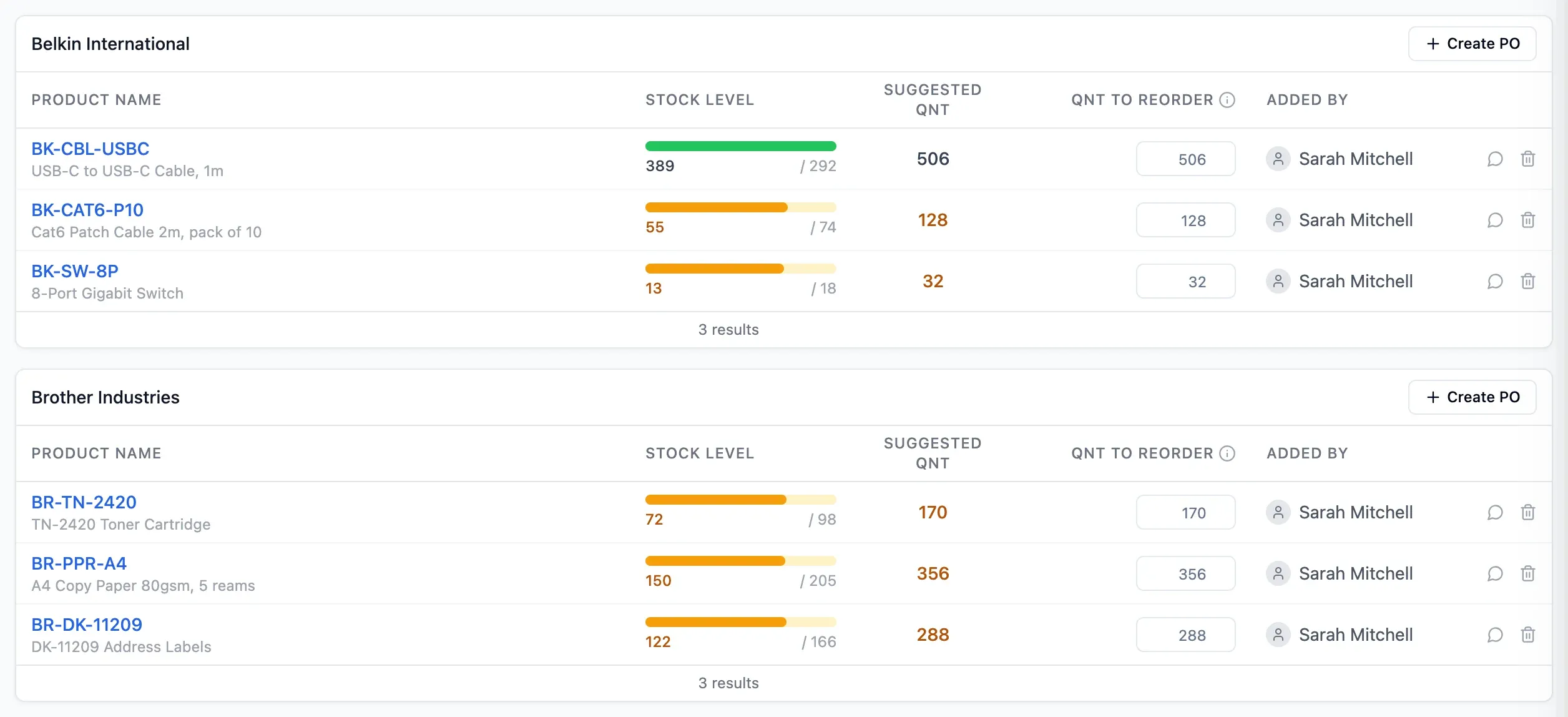
Create a filled-in order, get it approved and export the PDF to send yourself.
Learn more: Purchase order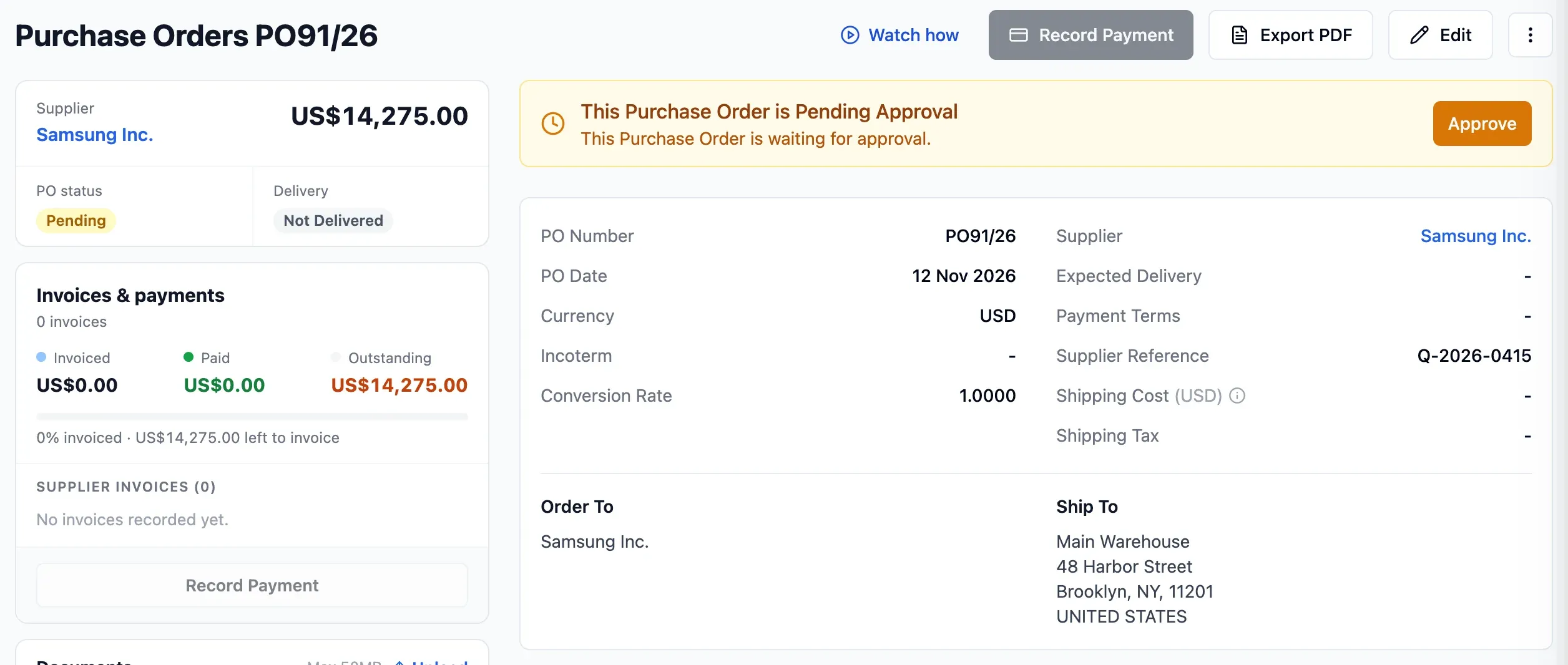
Receive goods in one or more parts and see what is still to arrive and left to pay.
Learn more: Delivery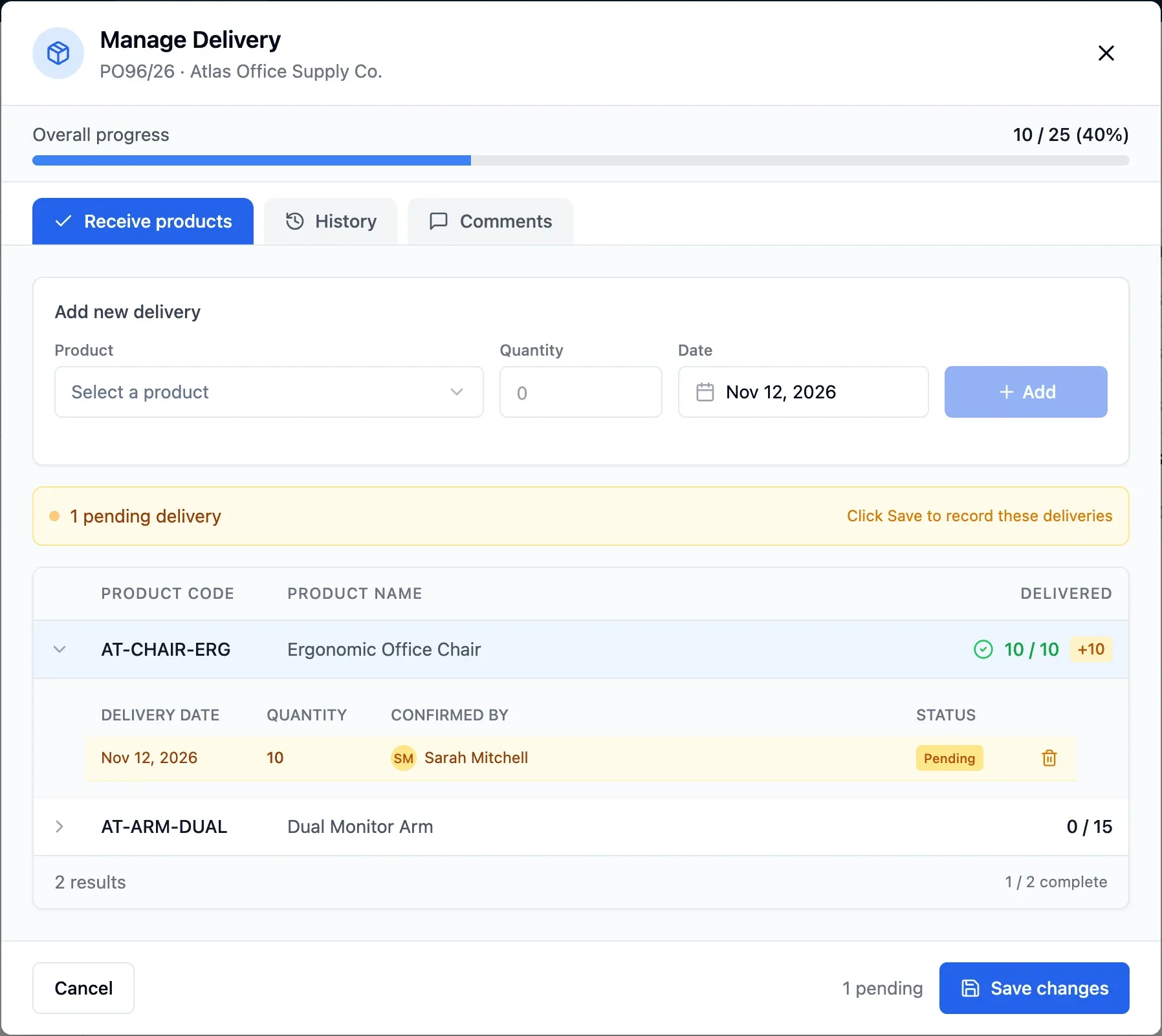
Track quantities by warehouse, with the date, reason and author behind every movement.
Learn more: Stock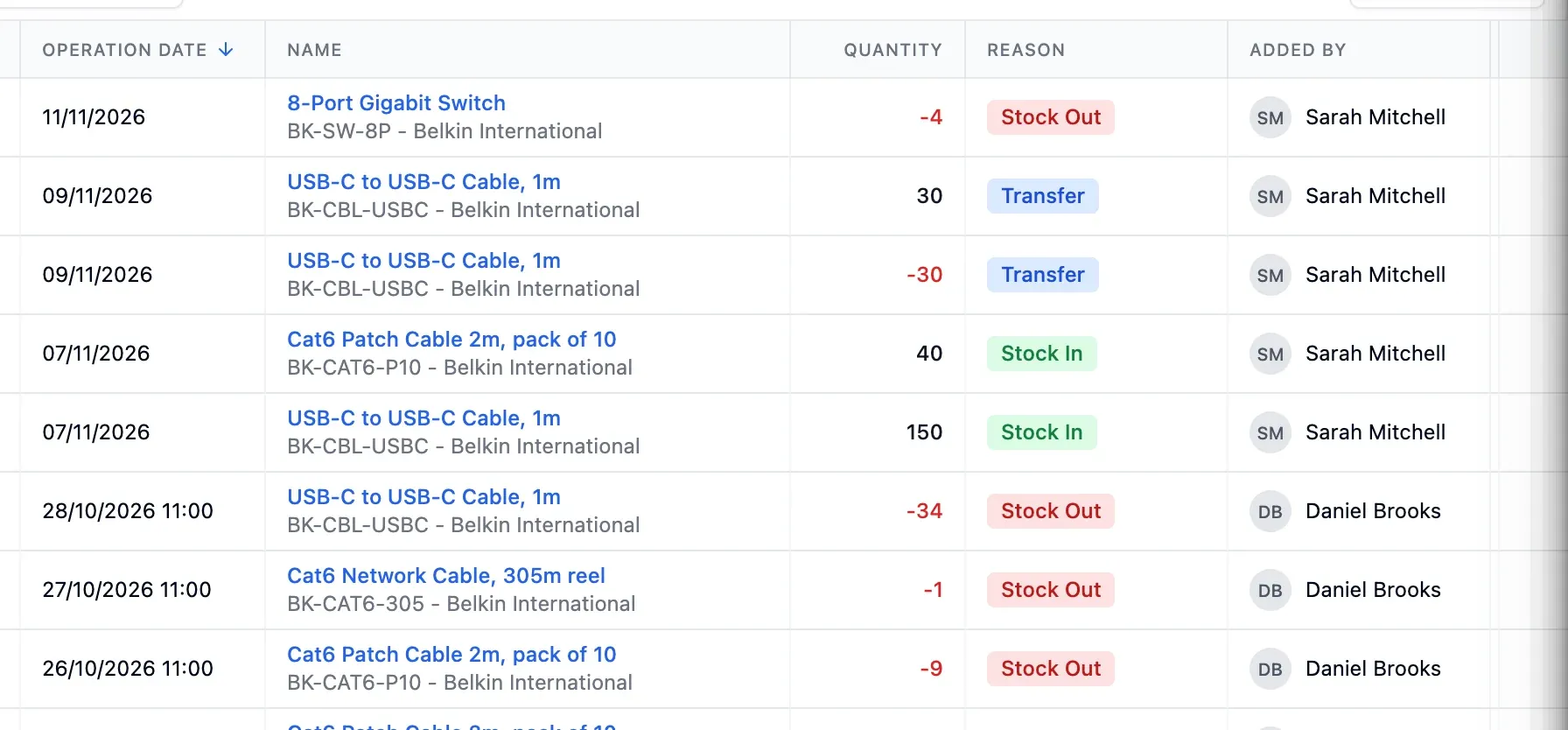
Add duties, insurance and handling to the cost of the goods received.
Learn more: Landed costs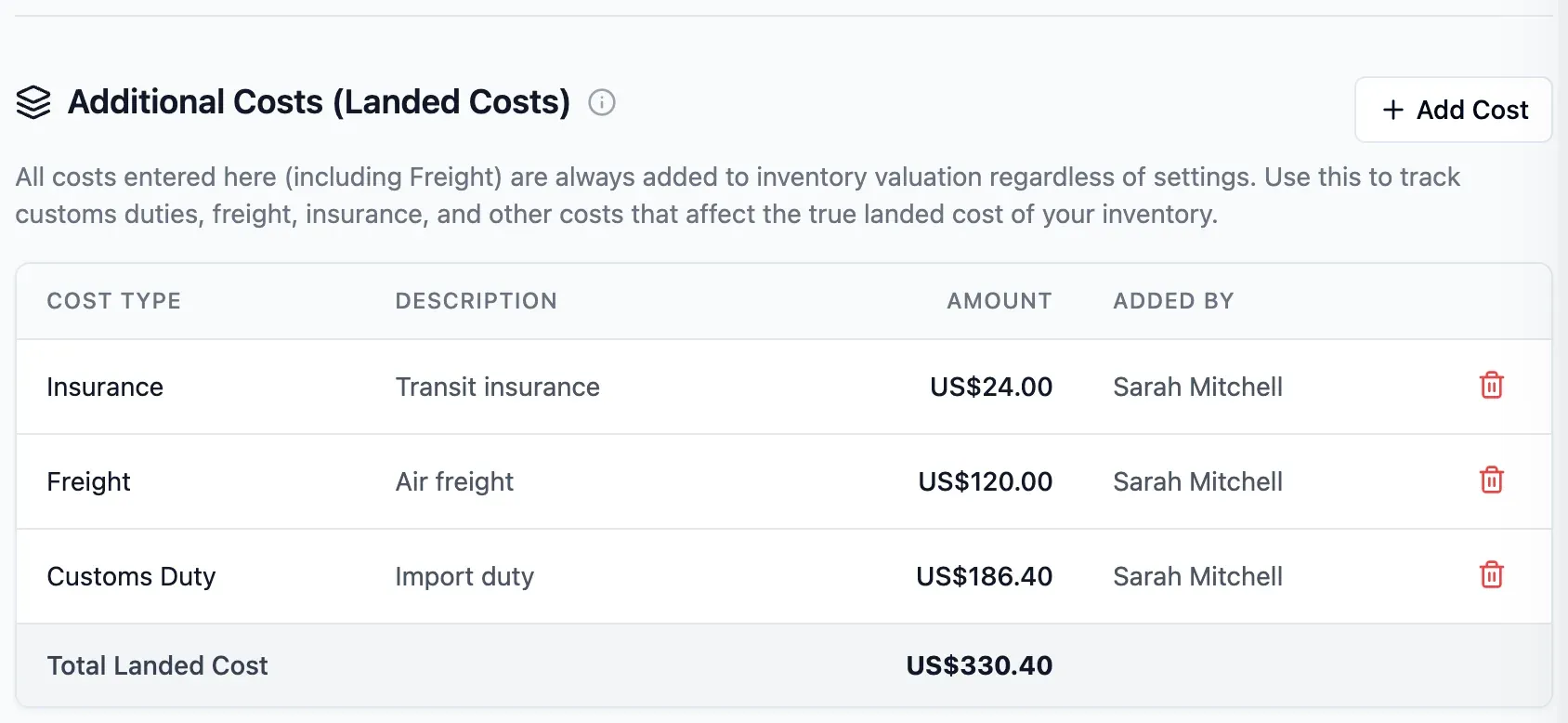
Check value on any date using FIFO, LIFO or weighted average cost.
Learn more: Stock value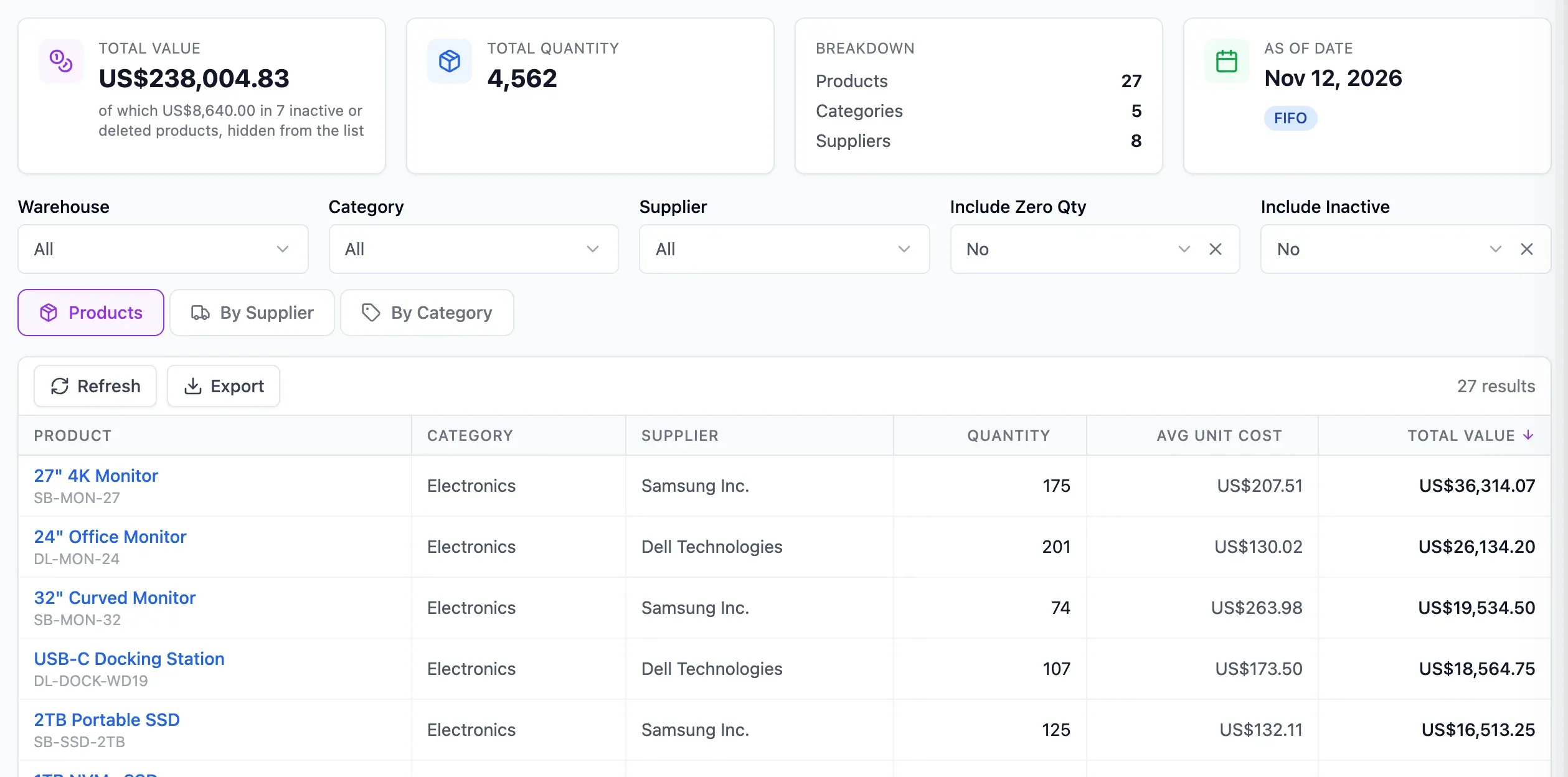
Getting started
No implementation project. Three steps, at your pace.
Bring in your records, give colleagues the right access and start recording stock. Guides are available in the app, with email support on every plan.

Step 1 of 3
Create your account
Start on the free plan with no credit card and no time limit.
Step 2 of 3
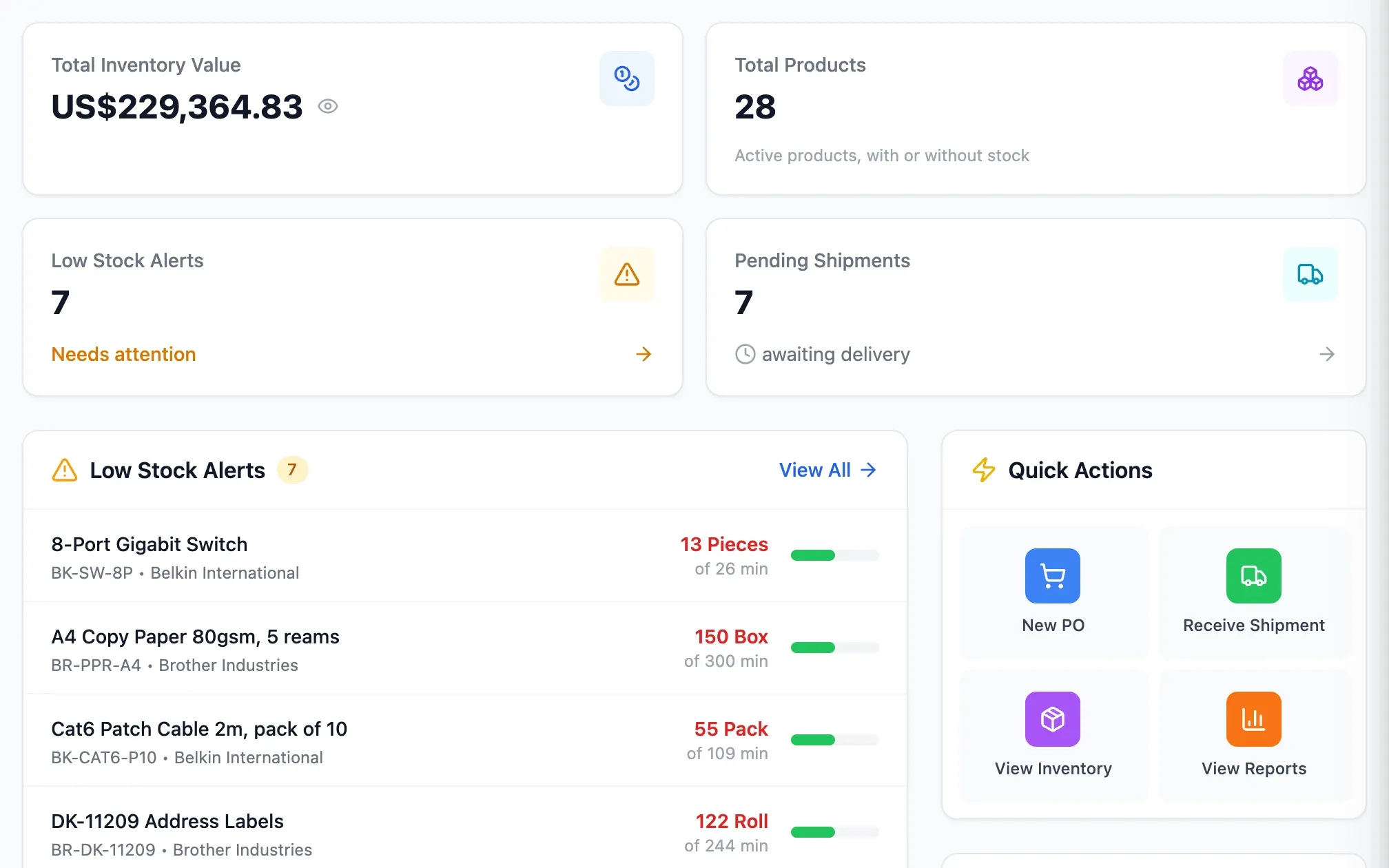
Bring in your data
Import products, suppliers and optional opening stock from CSV. Review errors and warnings before you confirm.
Step 3 of 3
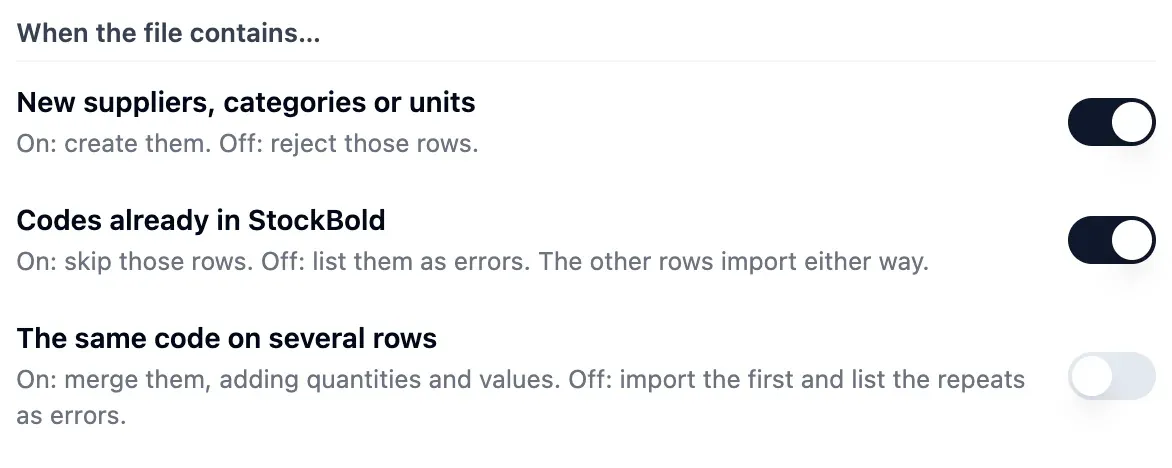
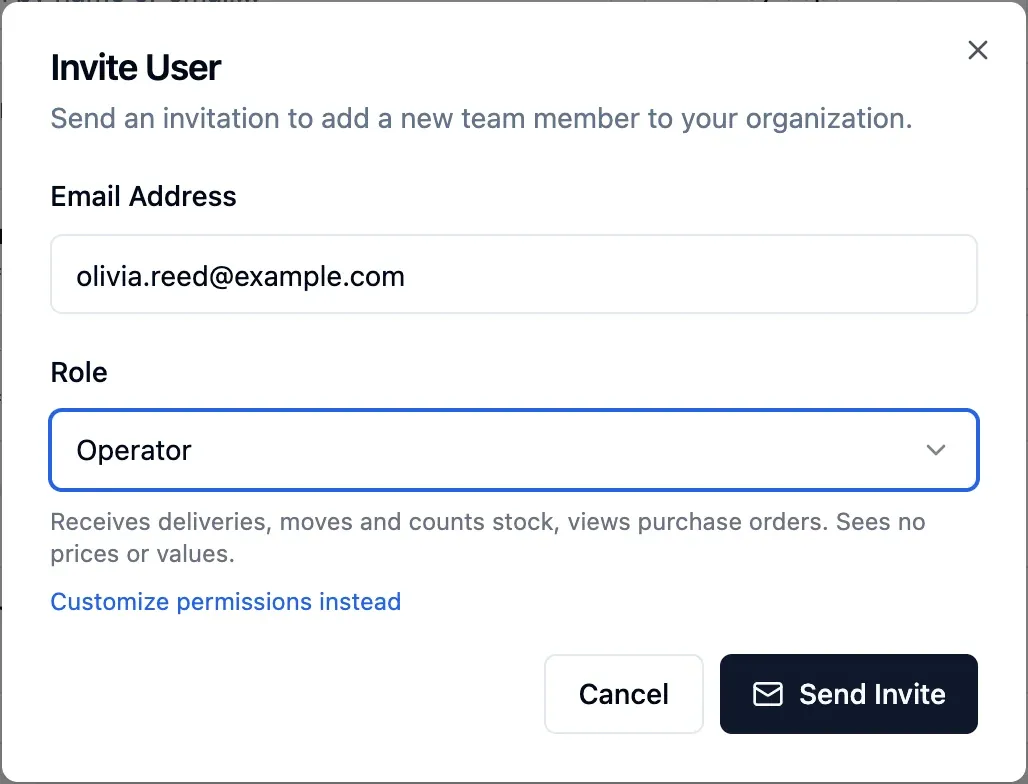
Invite your team
Give each person a ready-made role. Warehouse staff can record deliveries without seeing values.
Help when you need it
Find guides in the app and on the website, short videos for main tasks, and email support on every plan.

Room to grow
Start small. Build on the stock you already track.
Begin with one warehouse on the free plan. As your needs change, choose a plan with more users, warehouses and features.
More warehouses and shelves
Track stock by warehouse, transfer goods between them and record shelf positions where needed.
Buying from abroad
Order in a supplier's currency, include landed costs and track claims for faulty goods.
Making and assembling
Plan assemblies with bills of materials, then include labour and overheads in finished-product cost.
Connect your own software
Import products and suppliers by CSV, or use the API to read stock and record stock outs.
Answers from your data
Ask the AI assistant about your stock, orders and suppliers in your own words.
Plans that grow with you
Users Products Warehouses Free €0 2 100 1 Starter €29 4 500 2 Pro €79 10 2,500 5 Business €199 25 5,000 15 Reach a limit and only new entries of that type are blocked. Existing data stays and keeps working.
Compare plans
Numbers you can trust
Trace the figures behind your stock and value
Check how a quantity changed and what your stock was worth on a past date. Corrections stay on record.
Every movement has an author
See the date, reason, reference and author behind every recorded movement.
Stock never below zero
A movement that would take a warehouse below zero is refused, even when backdated.
Value on any date
Check quantity and value on any past date, with landed costs included.
Corrections on record
Approved stock counts correct quantities, and every correction stays on record.
Closed years stay closed
Lock a closed year to prevent changes to its orders, deliveries and movements.
Faulty goods kept apart
Faulty units under a supplier claim stay blocked; replacements enter at the original price.
How it compares
Compare StockBold, spreadsheets and traditional ERP
Cost to start
- StockBold
- Free plan, no time limit, no credit card
- Spreadsheets
- Software you may already have, plus manual work
- Traditional ERP
- Licences, usually with an implementation project
Setup
- StockBold
- Set up yourself with checked CSV import and ready-made roles
- Spreadsheets
- Built and maintained by your team
- Traditional ERP
- Often configured with consultants
What to reorder
- StockBold
- Suggestions based on usage, delivery time and goods on order
- Spreadsheets
- Formulas you write and maintain
- Traditional ERP
- Available, set up during configuration
Purchase orders
- StockBold
- Approval, partial deliveries, invoices and payments on each order
- Spreadsheets
- Separate files and email threads
- Traditional ERP
- Available, often with more steps than you need
Stock value
- StockBold
- Any date; FIFO, LIFO or weighted average; landed costs included
- Spreadsheets
- Recalculated by hand
- Traditional ERP
- Available, usually through the accounting module
Who did what
- StockBold
- Every recorded movement shows its author
- Spreadsheets
- Only what someone writes down
- Traditional ERP
- Usually available
Pricing
- StockBold
- Published plan prices
- Spreadsheets
- Included in your office software
- Traditional ERP
- Usually quoted per company
Built for
- StockBold
- Businesses that buy, hold and sell stock
- Spreadsheets
- A few products and one person updating them
- Traditional ERP
- Larger companies with complex processes
Straight answers
What StockBold handles, and what it leaves out
What it does
- Stock by warehouse, updated by recorded movements
- Reorder suggestions, purchase orders and deliveries
- Landed costs and stock valuation on any date
- Roles, documents, CSV import and an API
What it leaves to your other tools
- Invoices, delivery notes and e-invoices stay in your invoicing software
- Sales orders and point of sale: record sales as stock outs, by hand or through the API
- Sending orders: you export the PDF and send it to the supplier
- Connections to other apps: data comes in by CSV or through the API
Questions before you choose
Another question?
Write to us from the contact page, or search the guides.
Who is StockBold for?
StockBold is for businesses that buy, hold and sell stock. That includes distributors, wholesalers, importers, manufacturers, assemblers, retailers and online sellers.
Is StockBold really free to start?
Yes. The free plan has no time limit and needs no credit card. It covers stock, purchasing and stock valuation within the limits shown on the pricing page.
Do I need a consultant to set it up?
No. You import products and suppliers from CSV and give colleagues ready-made roles. Guides in the app and email support help you get started.
Can StockBold replace my inventory spreadsheet?
Yes. Import products with optional opening stock, then record movements in StockBold. It updates quantities, suggests reorders and shows stock value on any date.
Does it replace my invoicing or accounting software?
No. StockBold does not issue invoices, delivery notes or e-invoices. Keep using your invoicing or accounting software alongside it.
Where is my data stored?
Database, files and servers are in the European Union. The AI assistant and email delivery use providers in the United States, listed in the Data Processing Agreement.
Can I export my StockBold data?
Yes. The owner can request an export of every record and uploaded file at any time; supplier mail is left out. The owner can also delete the organisation without contacting anyone.
What happens when I reach a plan limit?
Only new entries of the type that reached its limit are blocked. Existing data stays and keeps working, and you can change plan at any time.
Run your stock and purchasing in one place
No credit card or time limit. Upgrade when you need more capacity.