

Suppliers and claims
See each supplier's orders, spend, stock value and documents together. Keep faulty units out of use while you track the replacements owed.
Free plan with 2 users, 100 products and 1 location. No credit card, no time limit.

Why it matters
Know what is still owed
Each claim shows how many units the supplier still has to replace.
Keep faulty goods out of use
Blocked units cannot be shipped or used in assemblies while the claim is open.
Keep stock value accurate
Replacements come in at the original price, never at zero and never counted twice.
How it works
A claim follows the faulty goods from the delivery they came in on to the last replacement, so stock and its value stay right while you wait.
Step 1 of 4
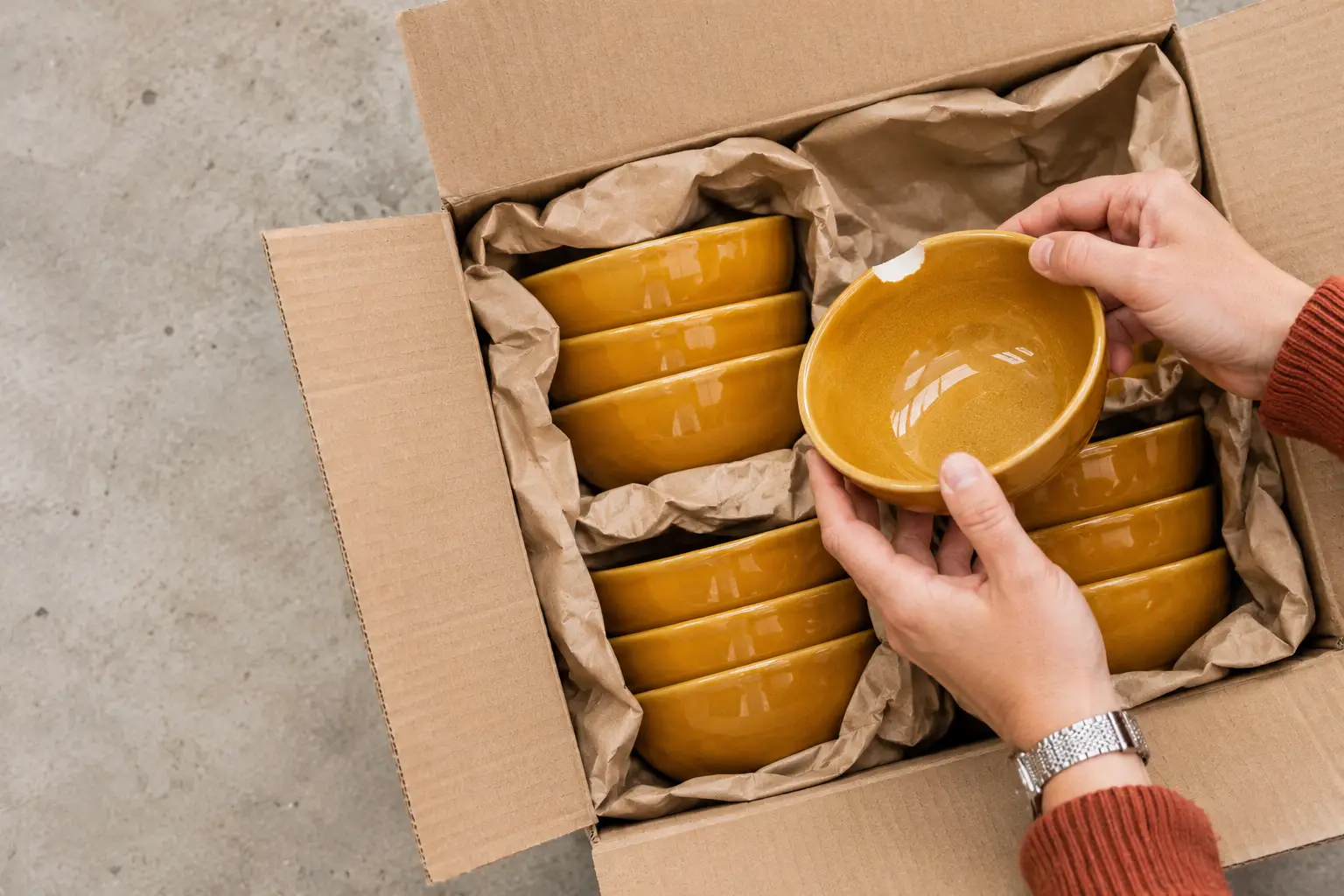
Open the claim
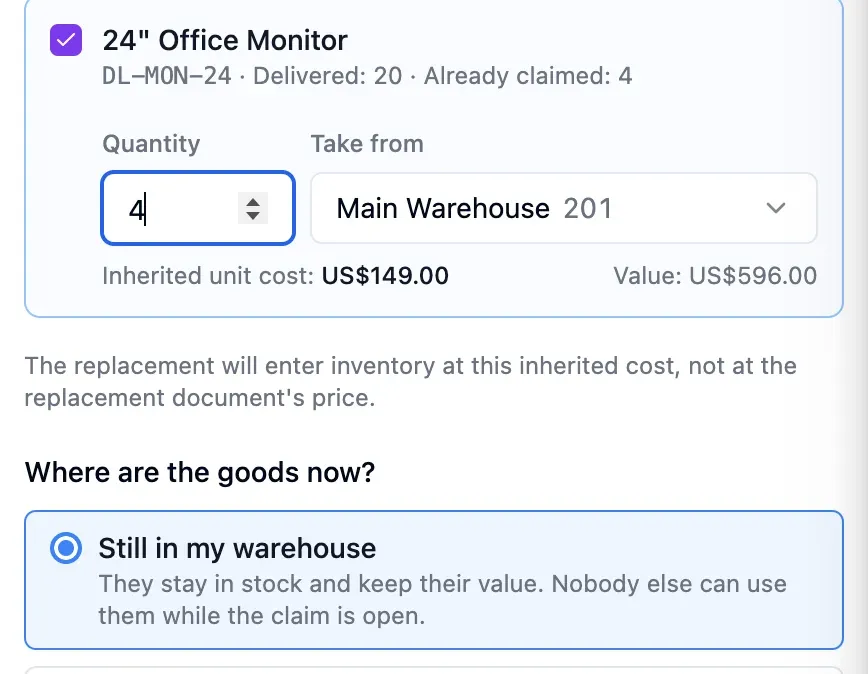
Pick the delivery the faulty goods came in on. Quantity and cost are carried over automatically.
- Attach photos and PDFs as evidence
- Review claim status and history
- See the value owed across open claims


Step 2 of 4
Block or remove goods
Faulty units still on the shelf stay blocked from stock-outs and assemblies. If they have already left, record them as returned or scrapped.
- Blocked units remain on the shelf
- No stock-outs or assembly use
- Returns or scrap still track replacements
Step 3 of 4
Track the replacements
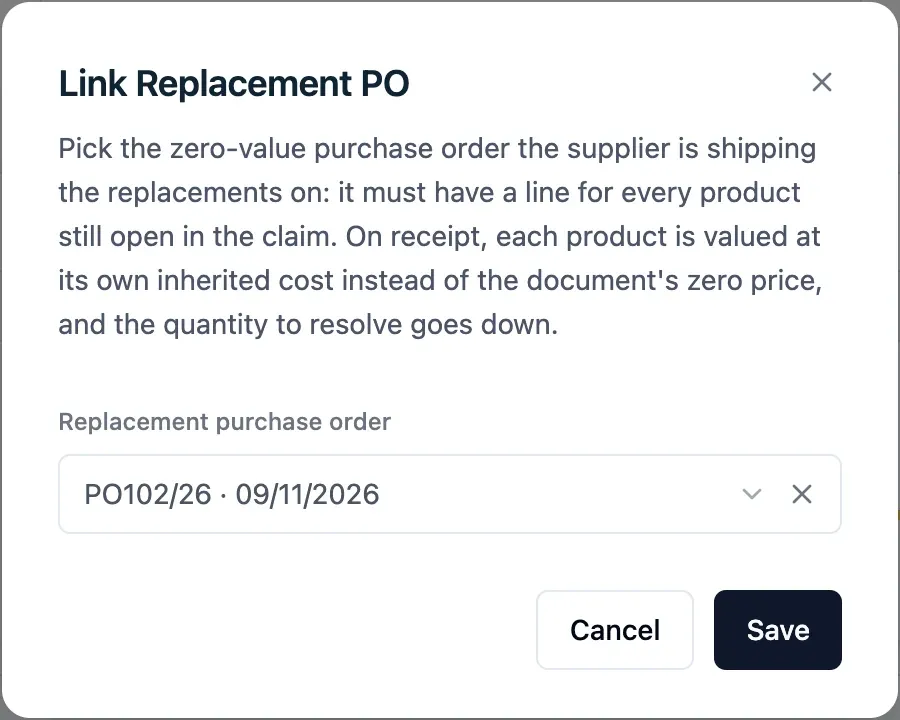
Link the supplier's replacement order to the claim. Each delivery enters stock at the original cost and reduces the units still owed.
- Track partial deliveries on one claim
- Replacements enter at the original cost
- See how many units remain owed
Step 4 of 4
Close the claim
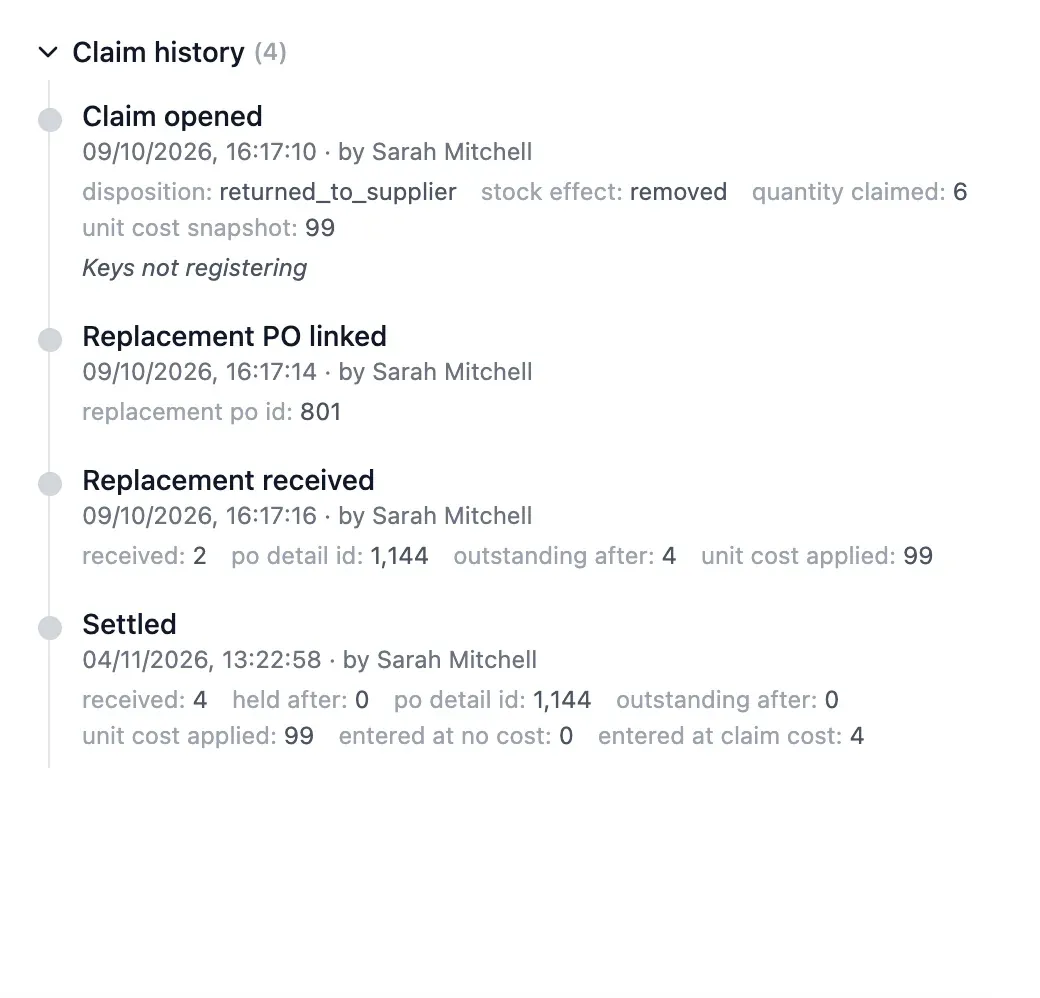
The claim closes automatically when the last replacement arrives. If the supplier refuses, the loss stays on record for your accounts.
- Closes by itself after the last replacement
- Unreplaced units stay on the claim
- Losses totalled for your accounts
In detail
Status of every claim
See whether a claim is open, accepted, partly replaced, closed, rejected or withdrawn, and where the goods are.
Value to recover
One total shows the value suppliers still owe across all open claims.
Replacements over several deliveries
If the supplier sends 40 units now and 60 later, the claim keeps count of both deliveries.
Losses on record
Replacements that never come stay recorded on the claim and totalled for your accounts.
Photos, PDFs and comments
Attach evidence, discuss the claim with colleagues and review its history.
A full supplier record
Orders, spend, stock value, incoming deliveries, products and documents in one record.
Inactive suppliers
Deactivate suppliers you no longer buy from. Their orders, products and documents stay as they are.
- Start free
Try it free
Free plan with 2 users, 100 products and 1 location. No credit card, no time limit.
Common questions
Another question?
Write to us from the contact page, or search the guides.
What if the supplier replaces only part?
Record each delivery as it arrives. The claim shows the units still missing and closes with the last delivery.
What if the supplier refuses?
Close the claim. The loss stays recorded and totalled for your accounts.
Does it work if the faulty goods have already left?
Yes. Record them as returned to the supplier or scrapped, and the claim still tracks the replacement you are owed.
What if the goods turn out to be fine?
Mark them as fine and they become available again. The claim closes with nothing left owed.
Who can see and manage claims?
You decide. Viewing claims, managing them and editing suppliers are separate permissions.
Try it free
No credit card or time limit. Upgrade when you need more capacity.