

Stock valuation
See what your stock was worth on any date, product by product. Purchase prices, duties and other landed costs are included in each unit’s value.
Free plan with 2 users, 100 products and 1 location. No credit card, no time limit.

Why it matters
Every unit at true cost
Purchase prices, duties and other landed costs make up each unit’s value, with order freight included when enabled.
Values you can verify
Check past values against the movements used to rebuild them.
Closed years protected
Lock a closed year to prevent changes to the orders, deliveries and movements behind its figures.
How it works
Every movement carries its cost, so you can rebuild the value on any past date and lock a year once its figures are final.
Step 1 of 5
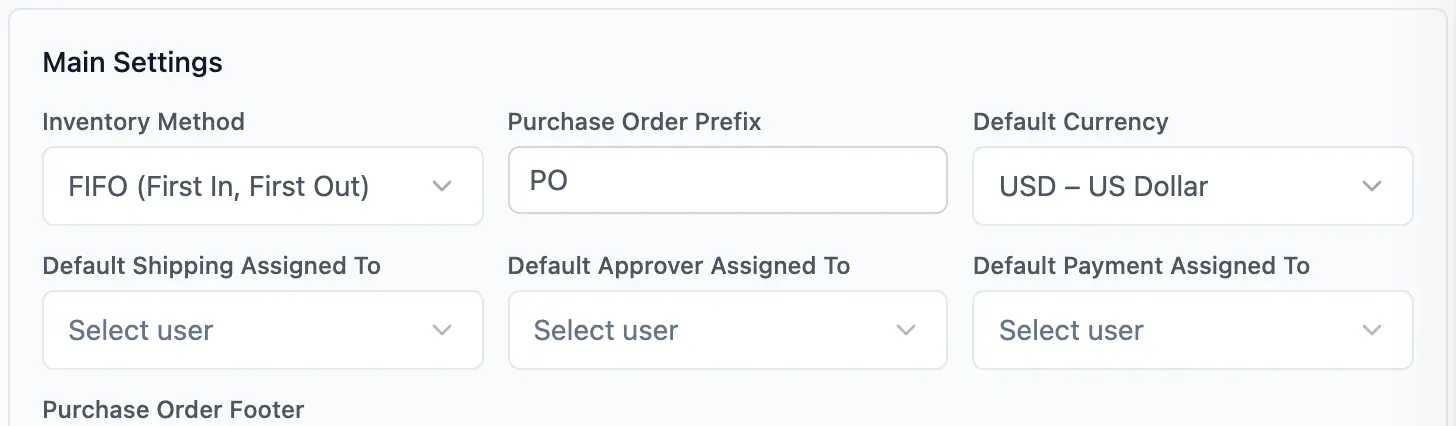
Choose your cost method
The owner chooses FIFO, LIFO or weighted average cost for the whole organisation.
- Past values recalculate if the method changes
- Cost of goods sold follows your method
- Values shown only to those allowed

Step 2 of 5
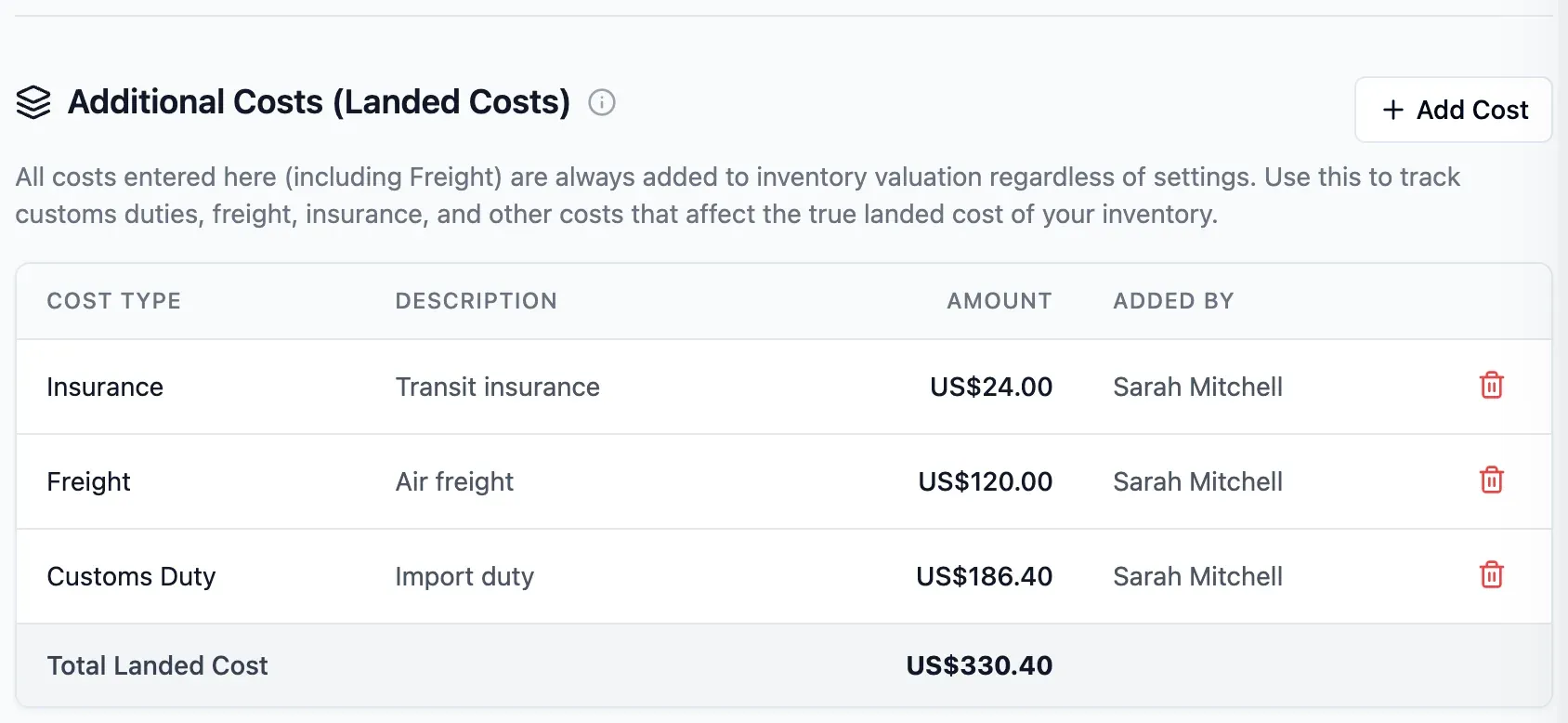
Add landed costs
Record duties, freight, insurance and handling on the purchase order. Costs are spread across lines by value; order freight enters stock value when enabled.
- Duties, insurance and handling
- Order freight included when enabled
- What you owe the supplier stays the same
Step 3 of 5
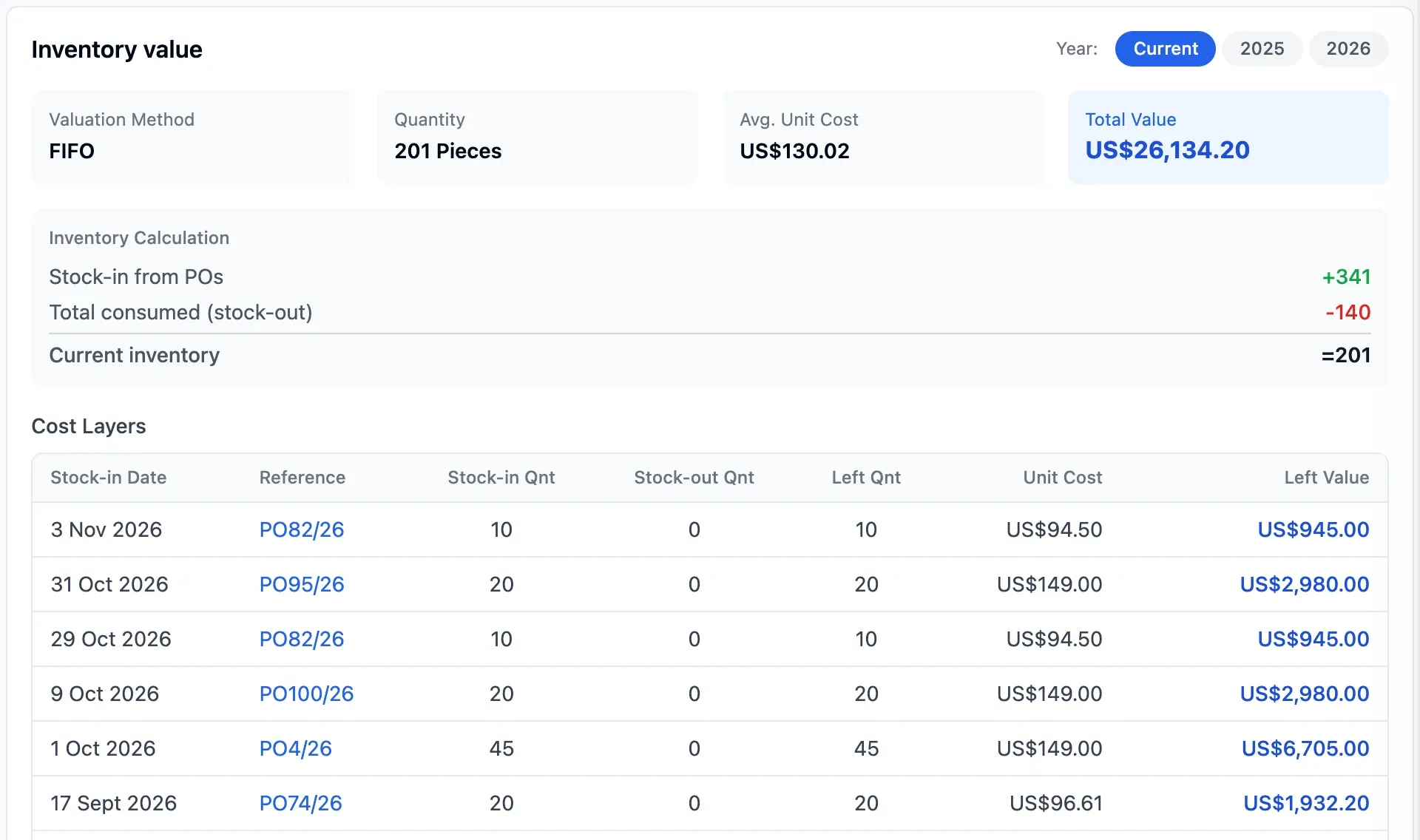
Record deliveries and stock outs
Record each delivery at its purchase cost plus applicable landed costs. As goods leave, the remaining value follows your chosen method.
- Receive an order in several parts
- Replacements enter at the original price
- Each delivery records who entered it
Step 4 of 5
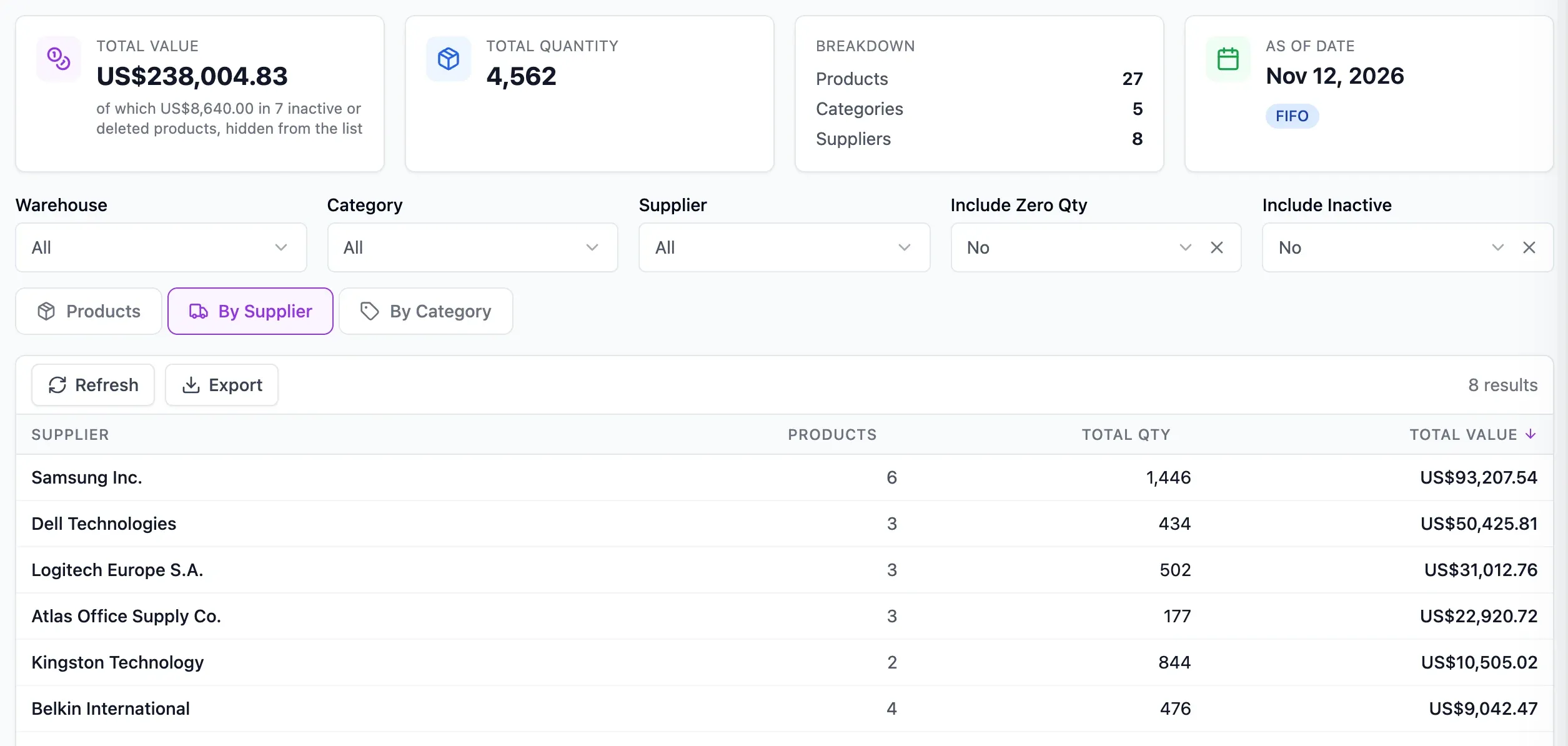
Value on any date
Pick a date and see stock value by product, supplier or category. Export the figures to a spreadsheet for your accountant.
- Twelve-month trend at each month end
- Slow-moving stock by age band
- Check past values against recorded movements

Step 5 of 5
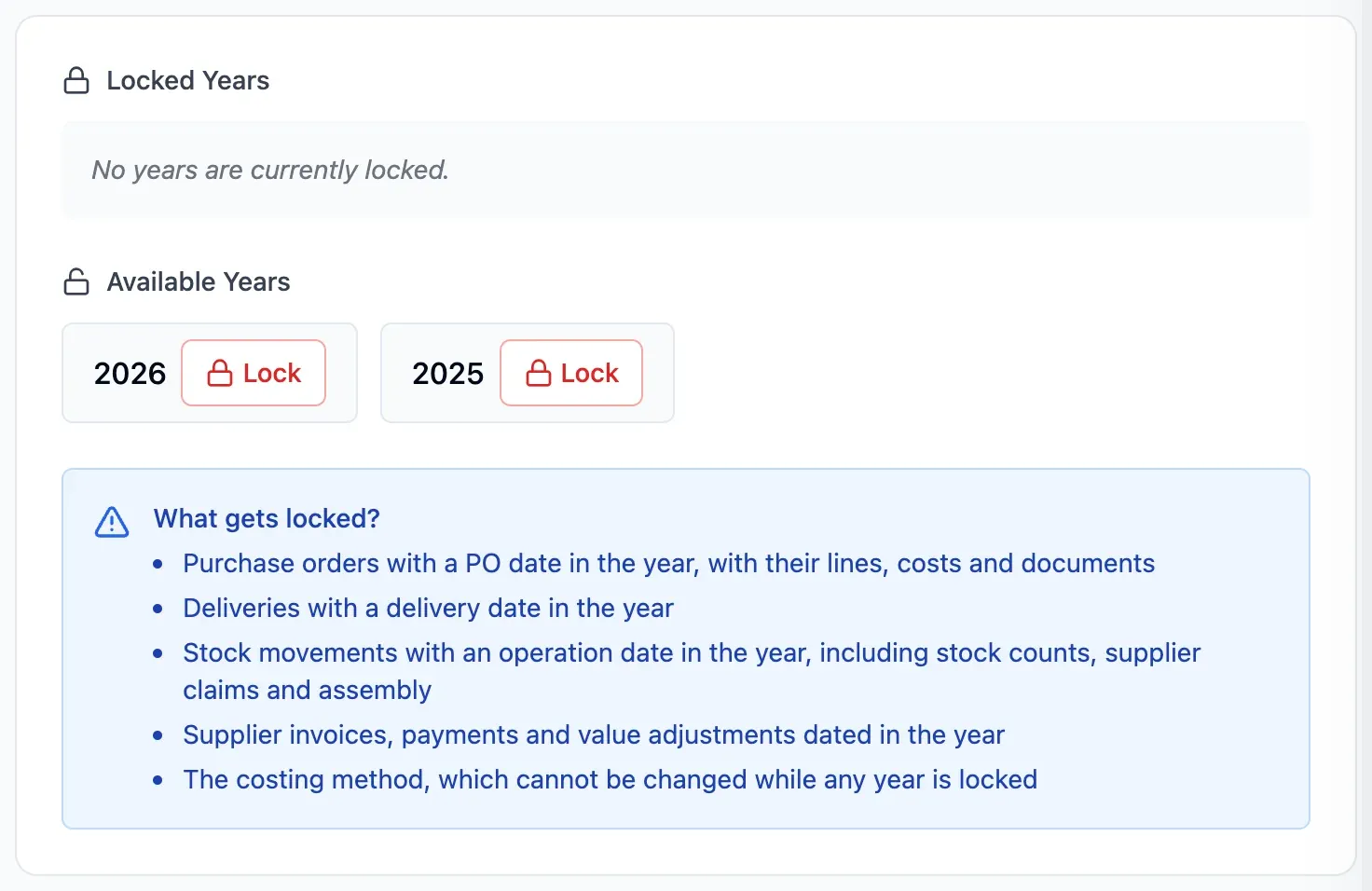
Lock the closed year
Once the accounts are final, lock the year. No one can change its orders, deliveries or movements.
- Keep closed-year figures protected
- No method changes while a year is locked
- Complete year-end close in your accounting software
In detail
Freight included by choice
Duties and other landed costs enter stock value. Include order freight by switching on the setting.
Many currencies, one value
Foreign-currency orders use the exchange rate set on each order to value stock in your currency.
Assembled products
Value finished products at the cost of their components, plus labour and overheads.
Replacements at original cost
Supplier replacements enter stock at the price originally paid.
Twelve-month trend
Compare stock value at each month end to see whether more or less capital is tied up in goods.
Slow-moving stock
Spot slow-moving stock in age bands, from 0 to 30 days through to over 180 days.
Cost of goods sold
Analyse the cost of goods that left stock, using groups you define.
Values only for those who need them
People without permission to see values see quantities only.
- Start free
Try it free
Free plan with 2 users, 100 products and 1 location. No credit card, no time limit.
Common questions
Another question?
Write to us from the contact page, or search the guides.
Which method should I choose?
Check the accounting rules in your country with your accountant before choosing FIFO, LIFO or weighted average cost. Your choice applies to the whole organisation.
Can I change method later?
Yes. The owner can change it in settings, and past values are recalculated. The method cannot change while a year is locked.
Does the cost of goods sold report follow my method?
Yes. The report follows your chosen method sale by sale, consistent with stock valuation and the ageing report.
Does locking a year replace the year-end close?
No. Locking prevents changes to that year’s orders, deliveries and movements. Complete the year-end close in your accounting software.
How do I share the figures with my accountant?
Export the valuation for your chosen date to a spreadsheet, grouped by product, supplier or category.
Try it free
No credit card or time limit. Upgrade when you need more capacity.